🧪 Inter-Interface Packet Forwarding Failure Investigation
📌 Objective
Diagnose why a client cannot reach the internet
⚙️ Environment
- Virtualization: VirtualBox
- OS: ( 1 DHCP Server VM + 1 Client VM)
🛠️ Lab Network Topology
Server (DHCP)
- IP: 192.168.10.10
- Interfaces:
- enp0s8 -> LAN
- enp0s3 -> NAT
Client VM
- IP: 192.168.10.100
- Interface: enp0s8
- Gateway: 192.168.10.10
🚨 Incident Statement
Client cannot access the internet
🔍 PHASE 1 — Verify the Problem
Run on Client VM:
ping -c 2 192.168.10.10
ping -c 2 8.8.8.8
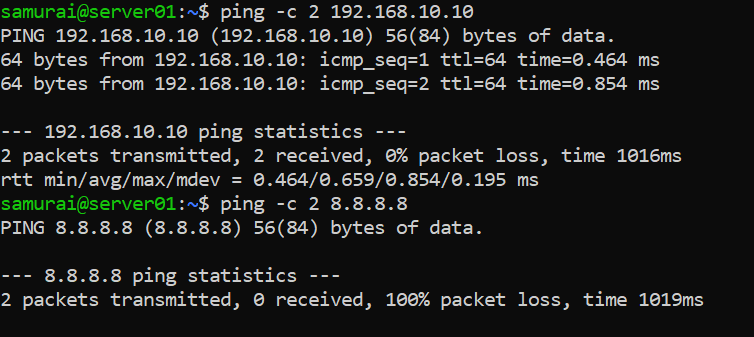
Expected outcome:
- Gateway ping -> ✅ works
- Internet ping -> ❌ fails
Conclusion:
- Local network works -> L2 is OK
- Internet fails -> issue beyond local network
PHASE 2 — Check Client Configuration
ip a
ip route
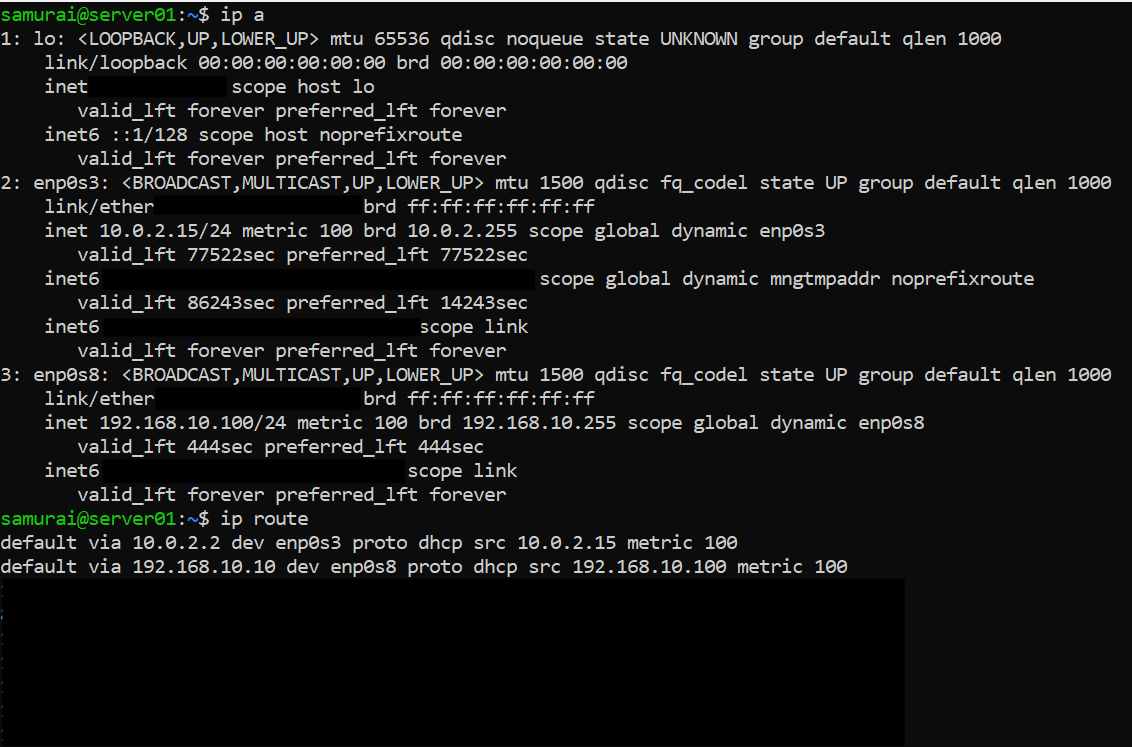
Conclusion:
- Client is correctly configured
- Traffic is sent to gateway
PHASE 3 - Verify L2
Step 1 - Check ARP
Run on client VM:
ip neigh

Expected outcome: 192.168.10.10 dev enp0s8 lladdr: XX:XX:XX:XX STALE
Step 2 - Capture ARP
Run on client VM:
sudo tcpdump -i enp0s8 arp
ping 192.168.10.10

Conclusion:
- ARP works -> MAC resolution works
- L2 is fully functional
Phase 4 - Follow the packet
Step 1 - Capture incoming traffic
On server:
sudo tcpdump -i enp0s8 icmp
On client:
ping 8.8.8.8

Expected outcome:
- Packets arrive at server (enp0s8)
Step 2 - Check outgoing traffic
On server:
sudo tcpdump -i enp0s3 icmp
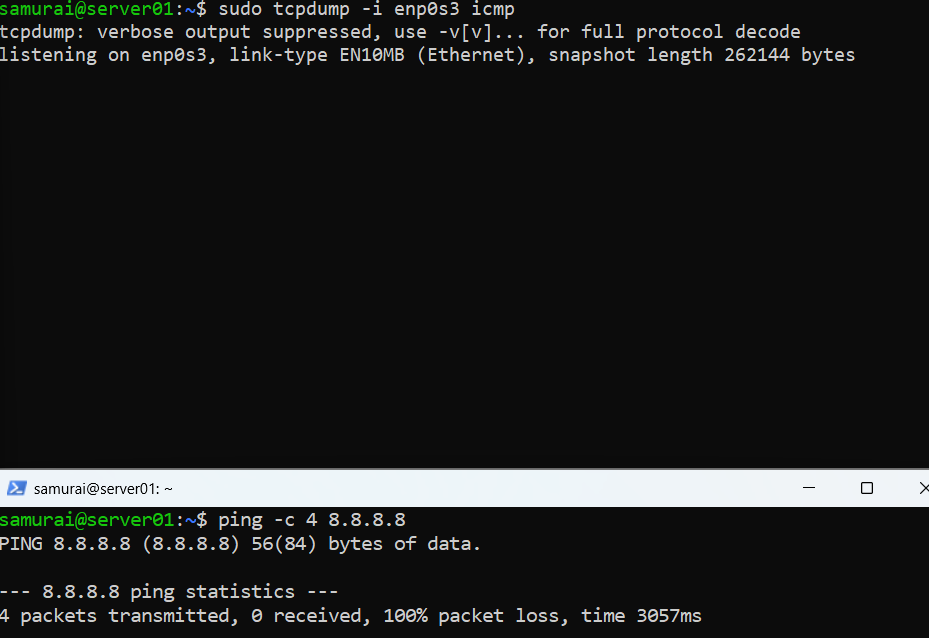
Expected outcome:
- No packets leaving
🧠 Key conclusion:
Server receives traffic but does not forward it.
Phase 5 - Identify root cause
Check on server:
sysctl net.ipv4.ip_forward

Root Cause:
- IP forwarding disabled
- Server is NOT acting as router
✅ Remediation
Step 1 - Enable forwarding
sudo sysctl -w net.ipv4.ip_forward=1
Step 2 - Add NAT
sudo iptables -t nat -A POSTROUTING -o enp0s3 -j MASQUERADE

Step 3 - Testing
On client:
ping 8.8.8.8
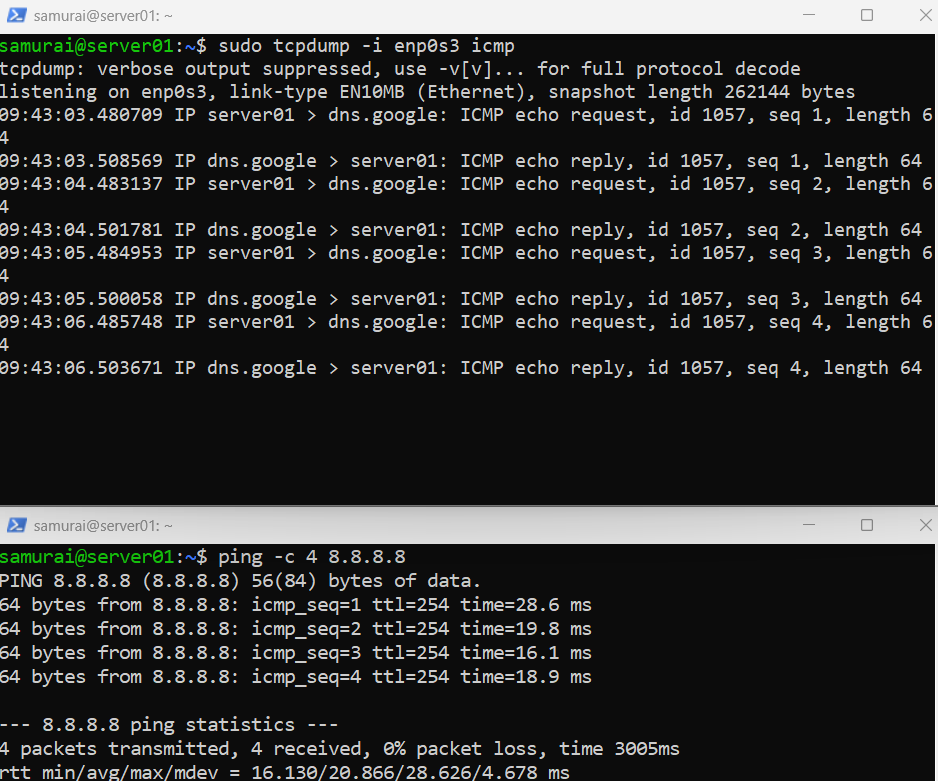
🧠 FINAL ANALYSIS
| Layer | Status | | L2 (MAC,ARP) | ✅ working | | L3 (routing) | ❌ broken | | Fix | Enable forwarding |