🧪 DNS Lab
📌 Objective
Understand DNS from a systems perpective
⚙️ Environment
- Virtualization: VirtualBox
- OS: ( 1 DNS Server VM + 1 Client VM)
🛠️ Lab Network Topology
🧩 Phase 1 — Direct DNS (No Cache)
Client VM -> dnsmasq (192.168.10.10)
Used for:
- Break #1 (Wrong DNS Server)
- Break #2 (Wrong DNS Record)
🧩 Phase 2 — Direct DNS (No Cache)
Clint VM -> systemd-resolved (127.0.0.53) [CACHE] -> dnsmasq (192.168.10.10) [DNS SERVER]
Used for:
- Break #3 (DNS Caching Behavior)
⚙️ Part 1 — DNS Server Setup (dnsmasq)
Step 1 - Install
sudo apt install dnsmasq
Step 2 - Configure domain mapping
sudo nano /etc/dnsmasq.conf
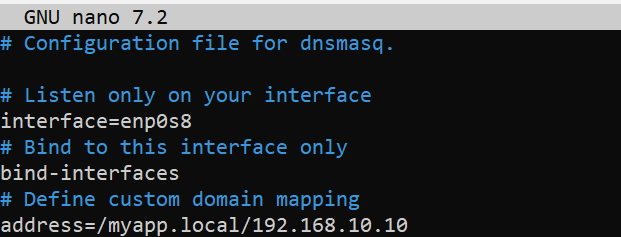
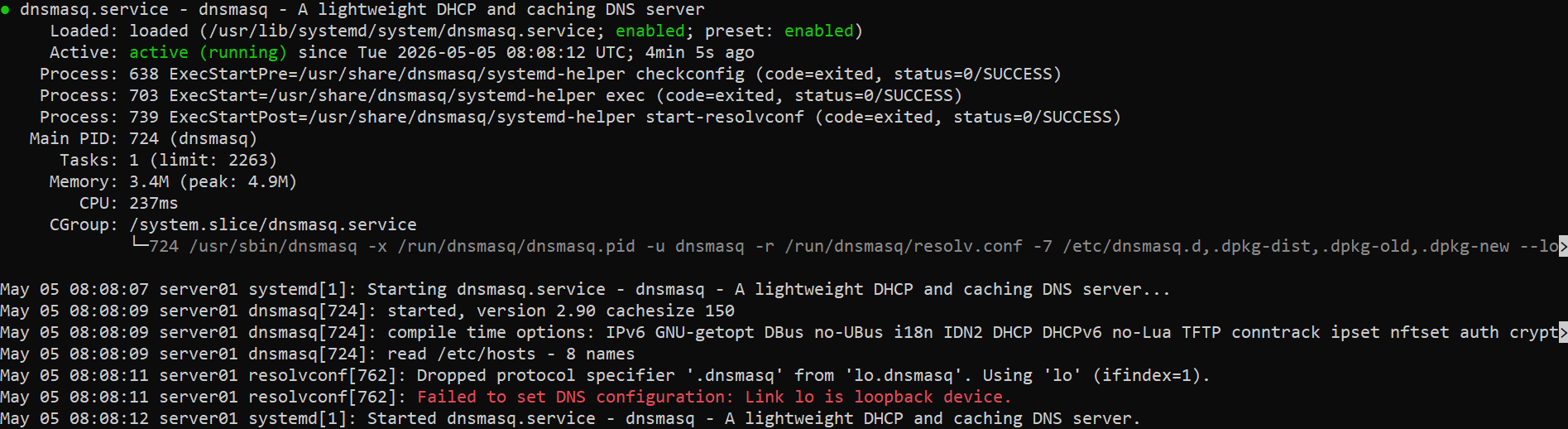
Step 3 - Start service
sudo systemctl restart dnsmasq
sudo systemctl status dnsmasq
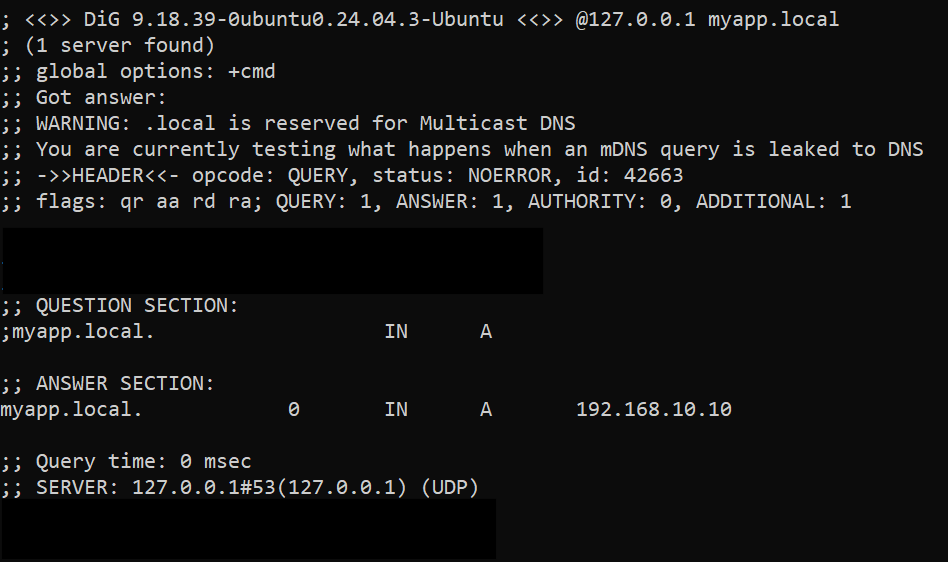
Step 4 - Test locally
dig @127.0.0.1 myapp.local
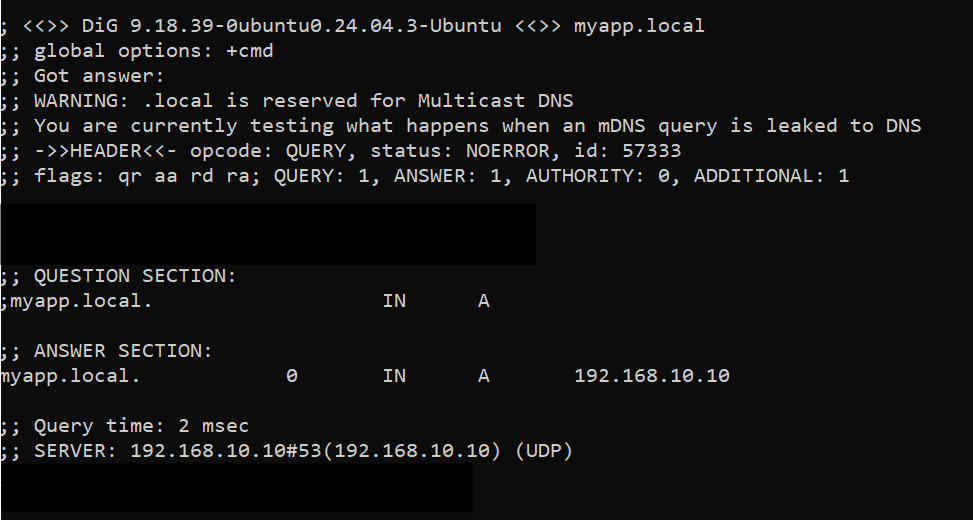
Expected result: myapp.local -> 192.168.10.10
⚙️ Part 2 — Client Setup (Phase 1: No cache)
Client sends queries directly to dnsmasq.
Client -> dnsmasq
Step 1 - Configure resolver manually
sudo nano /etc/resolv.conf
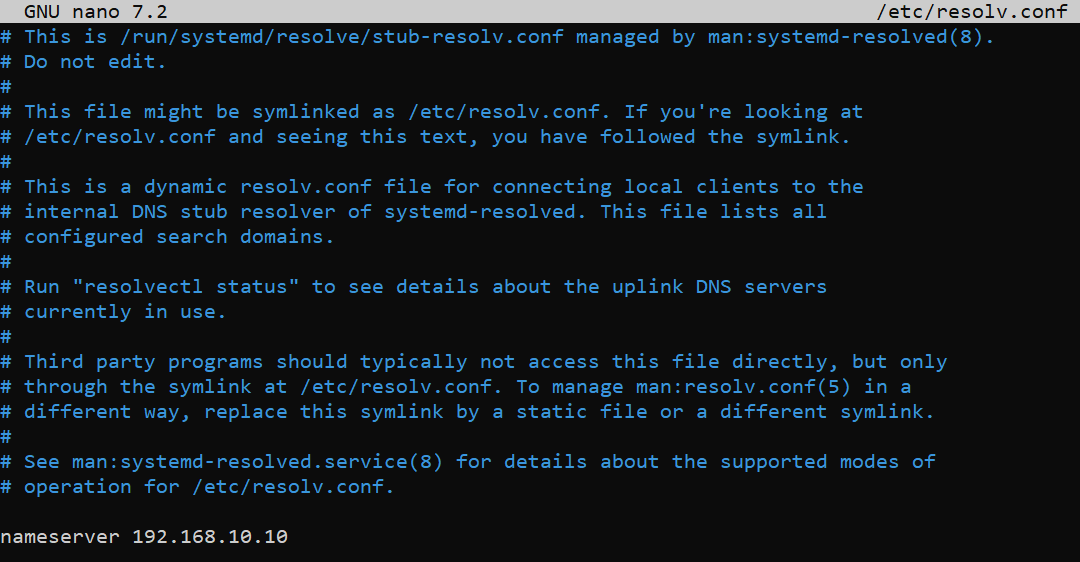
Step 2 - Test
dig myapp.local
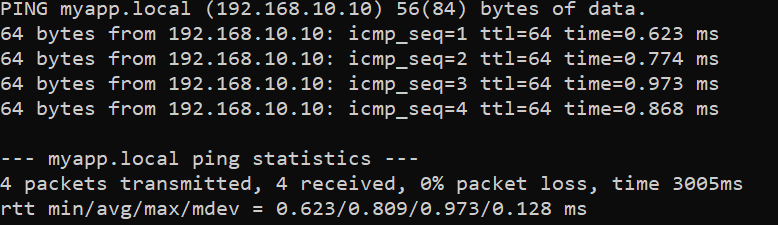
ping myapp.local
Break 1 - Wrong DNS Server
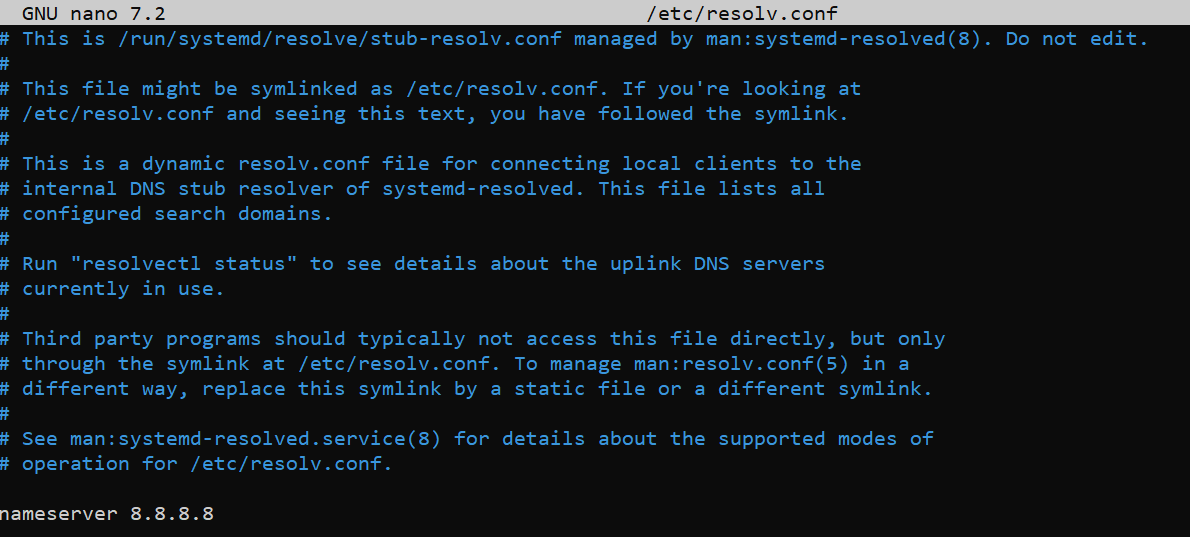
Change resolver
sudo nano /etc/resolv.conf
Observed behavior
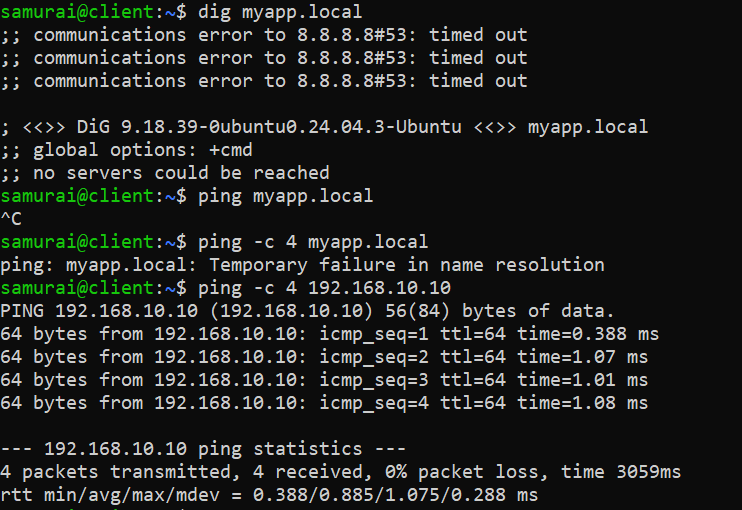
- dig myapp.local -> communications error to 8.8.8.8#53, timed out
- ping -> temporary failure in name resolution
- ping 192.168.10.10 -> ✅ works
Interpetation
DNS query sent to wrong server
🧠 Root Cause
Client resolver misconfigured
🔧 Fix
Change the resolver config:
nameserver 192.168.10.10
Break 2 - Wrong DNS Record
Misconfigure dnsmasq.conf
sudo nano /etc/dnsmasq.conf
sudo systemctl restart dnsmasq
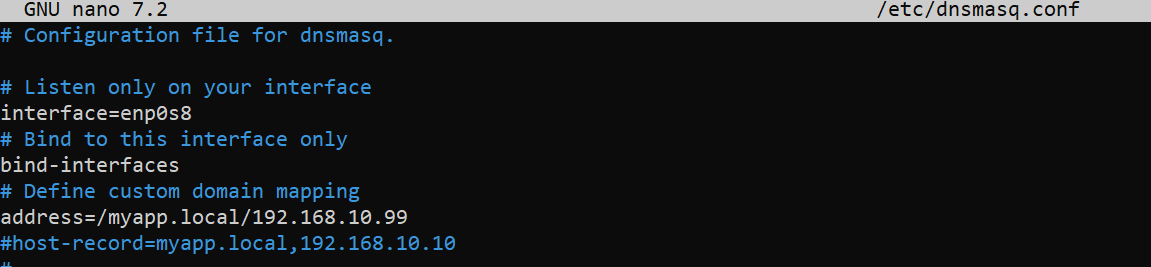
Observed behavior
Run from client VM:
- dig myapp.local -> 192.168.10.99
- ping myapp.local -> fails (Destination Host Unreachable)
- ping 192.168.10.10 -> ✅ works
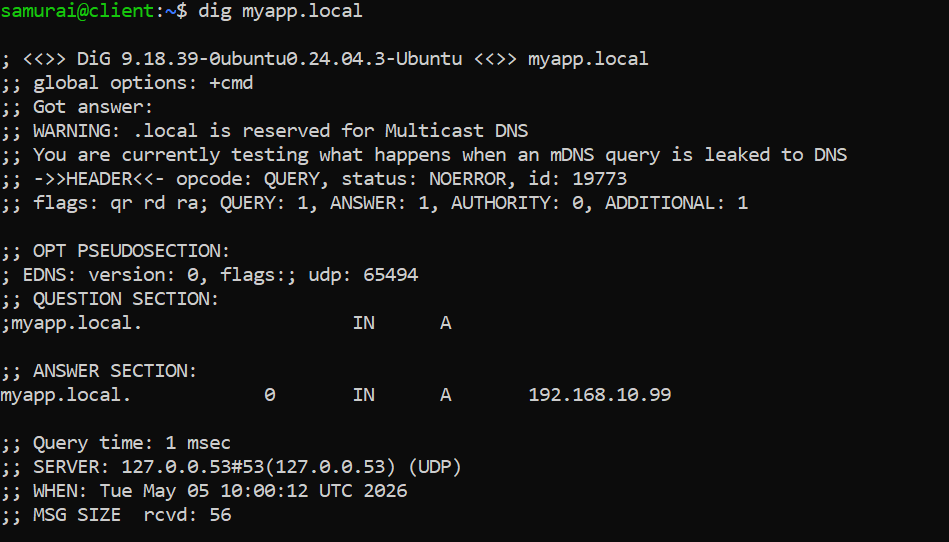
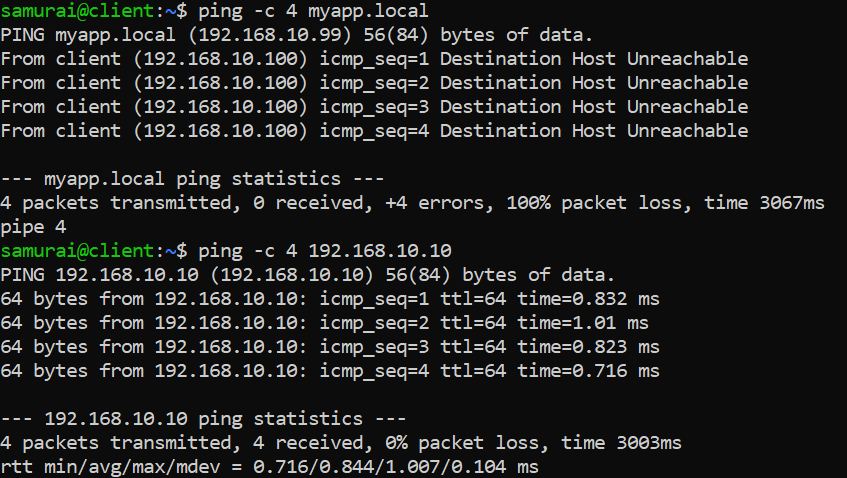
Interpretation
DNS works but returns incorrect IP
🧠 Root Cause
Conclusion: dnsmasq is misconfigured
🔧 Fix
Change the dnsmasq.conf:
address=/myapp.local/192.168.10.10
Break 3 - Cached DNS
⚙️ Setup
Step 1: Enable caching on client vm:
sudo systemctl enable --now systemd-resolved
sudo ln -sf /run/system/resolve/stub-resolv.conf /etc/resolv.conf
sudo resolvectl dns enp0s8 192.168.10.10
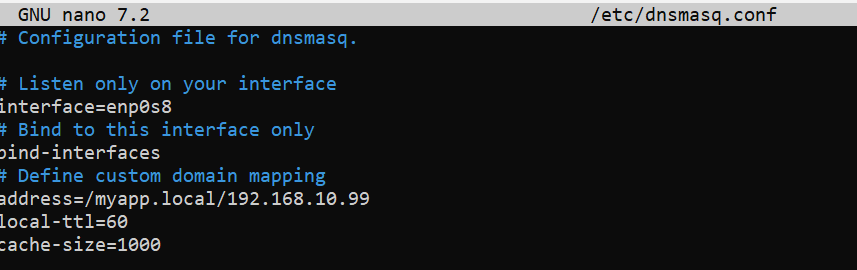
Step 2: Configure server dnsmasq.conf:
address=/myapp.local/192.168.10.99
local-ttl=60
cache-size=1000

sudo systemctl restart dnsmasq
Observed behavior
On client VM:
sudo resolvectl query myapp.local
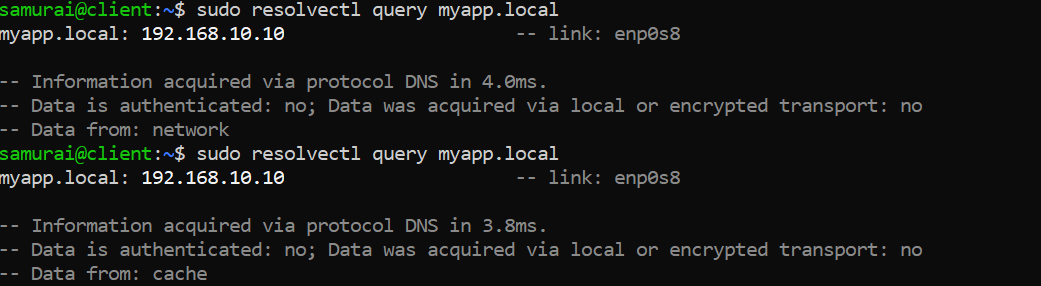
Interpretation
Client cache used instead of querying DNS
🧠 Root Cause
TTL not expired -> cached response
🔧 Fix
sudo resolvectl flush-caches