🧪 Systemd Service Restart Behavior Lab
📌 Objective
To test and understand how systemd handles automatic service restarts using the Restart=on-failure policy.
⚙️ Environment
- OS: Ubuntu (systemd-based)
- Tools: systemctl, journalctl, bash
🛠️ Setup
1. Create a test script
sudo nano /usr/local/bin/labtest.sh

#!/bin/bash
while true; do
	echo "lab service is alive: $(date)"
	sleep 10
done
Make it executable:
sudo chmod +x /usr/local/bin/labtest.sh
2. Create a system service
sudo nano /etc/systemd/system/labtest.service

[Unit]
Description=Lab test service
After=network.target

[Service]
ExecStart=/usr/local/bin/labtest.sh
Restart=on-failure
StandardOutput=journal

[Install]
WantedBy=multi-user.target
Step 3 — Start the service
sudo systemctl daemon-reload
sudo systemctl enable labtest
sudo systemctl start labtest
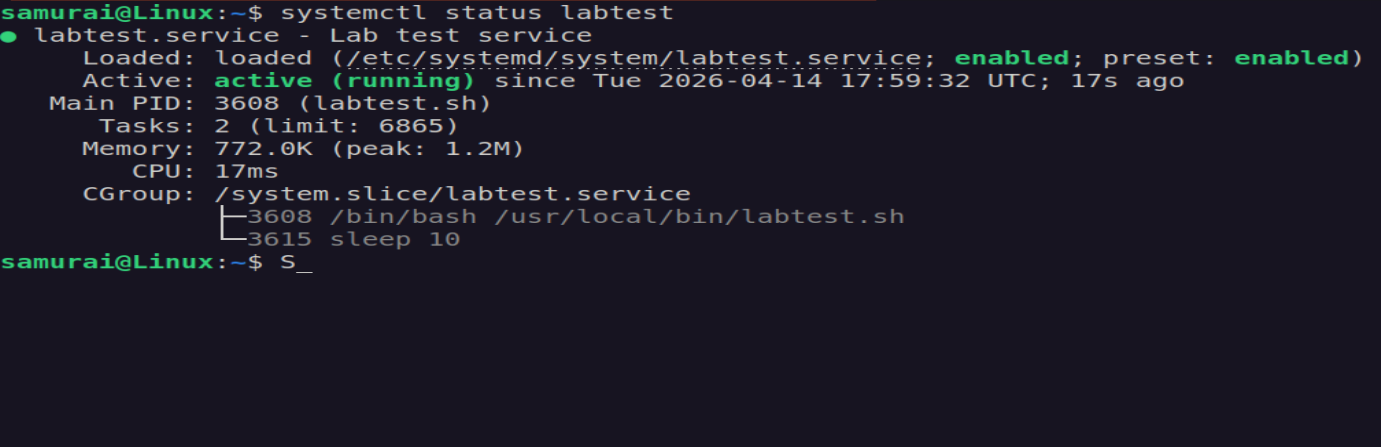
systemctl status labtest
Step 4 — Monitor Logs
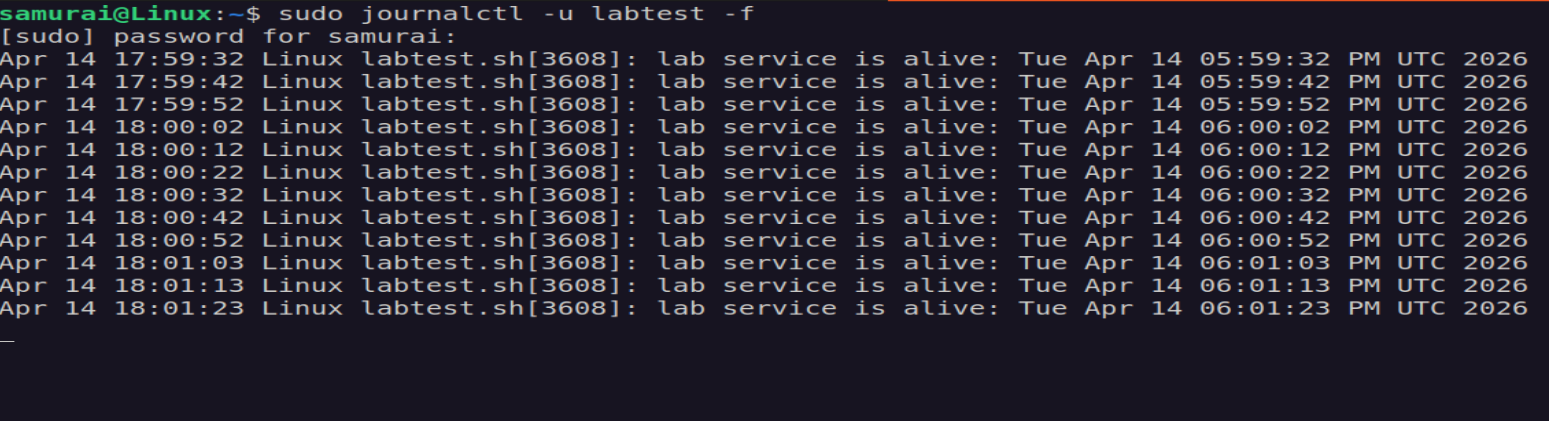
sudo journalctl -u labtest -f
🧪 Experiment 1 - Killing the Service (SIGTERM)
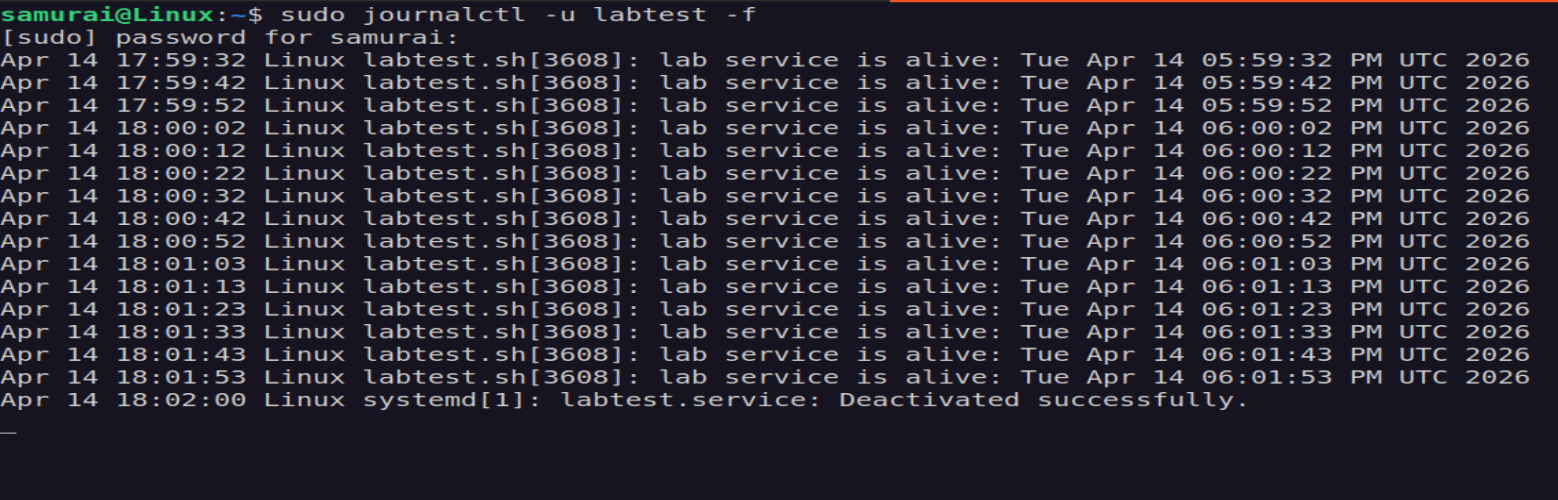
sudo kill PID<labtest>
Expected Result: The service should restart automatically
Actual Result: The service did not restart
🔍 Investigation
The kill command sends SIGTERM (signal 15) by default.
Systemd treats SIGTERM as a graceful stop, meaning:
- the process exists normally
- exit status = 0 (SUCCESS)
Because of this, Restart=on-failure is not triggered.
🧪 Experiment 2 - Forcing a Failure (SIGKILL)
sudo kill -9 PID<labtest>
Result: The service started automatically.

Explanation:
- kill -9 sends SIGKILL
- the process is terminated abruptly
- system detects this as a failure
- restart is triggered
🧪 Experiment 3 - Simulating Application Failure
Modify the script:
sudo nano /usr/local/bin/labtest.sh

#!/bin/bash
while true; do
	echo "lab service is alive: $(date)"
	sleep 10

	if [ $((RANDOM % 5)) -eq 0 ]; then
		echo "Simulated failure"
		exit 1
	fi
done
Restart the service:
sudo systemctl restart labtest
Result: The service restarts automatically when it exits with an error.

📊 Summary
| Action | Signal | Result | Restart |
|---|---|---|---|
| kill | SIGTERM | Clean stop | No |
| kill -9 | SIGKILL | Forced failure | Yes |
| exit 1 | N/A | Application Error | Yes |
🧠 Key Takeaways
- Restart=on-failure depends on exit status
- SIGTERM is treated as a normal stop
- SIGKILL is treated as a failure
- Proper testing requires simulating real failures