🚨 The Alert
Time: 2:04 AM
Alert: PagerDuty - server ‘web-prod-03’ unreachable
SLA: Server must be back online within 60 minutes
After attaching to the console, it was immediately clear the machine had dropped into the GRUB2 shell — it never made it to the OS.
🖥️ Environment
| Detail | Value |
|---|---|
| Server | web-prod-03 |
| Root Partition | /dev/sda2 |
| Kernel Location | /boot |
| Target SLA | < 60 min |
🔍 What Went Wrong
The GRUB2 configuration file /boot/grub/grub.cfg was missing or corrupted, so the bootloader had no instructions on where to find the kernel.
Lab Note: To simulate this failure:
mv /boot/grub/grub.cfg /boot/grub/grub.cfg.bak
⏱️ Incident Timeline
| Time | Action |
|---|---|
| 02:04 | PagerDuty alert received |
| 02:07 | Attached to console |
| 02:11 | Root partition identified |
| 02:18 | Server back online |
| 02:35 | GRUB config regenerated |
🛠️ Step-by-Step Recovery
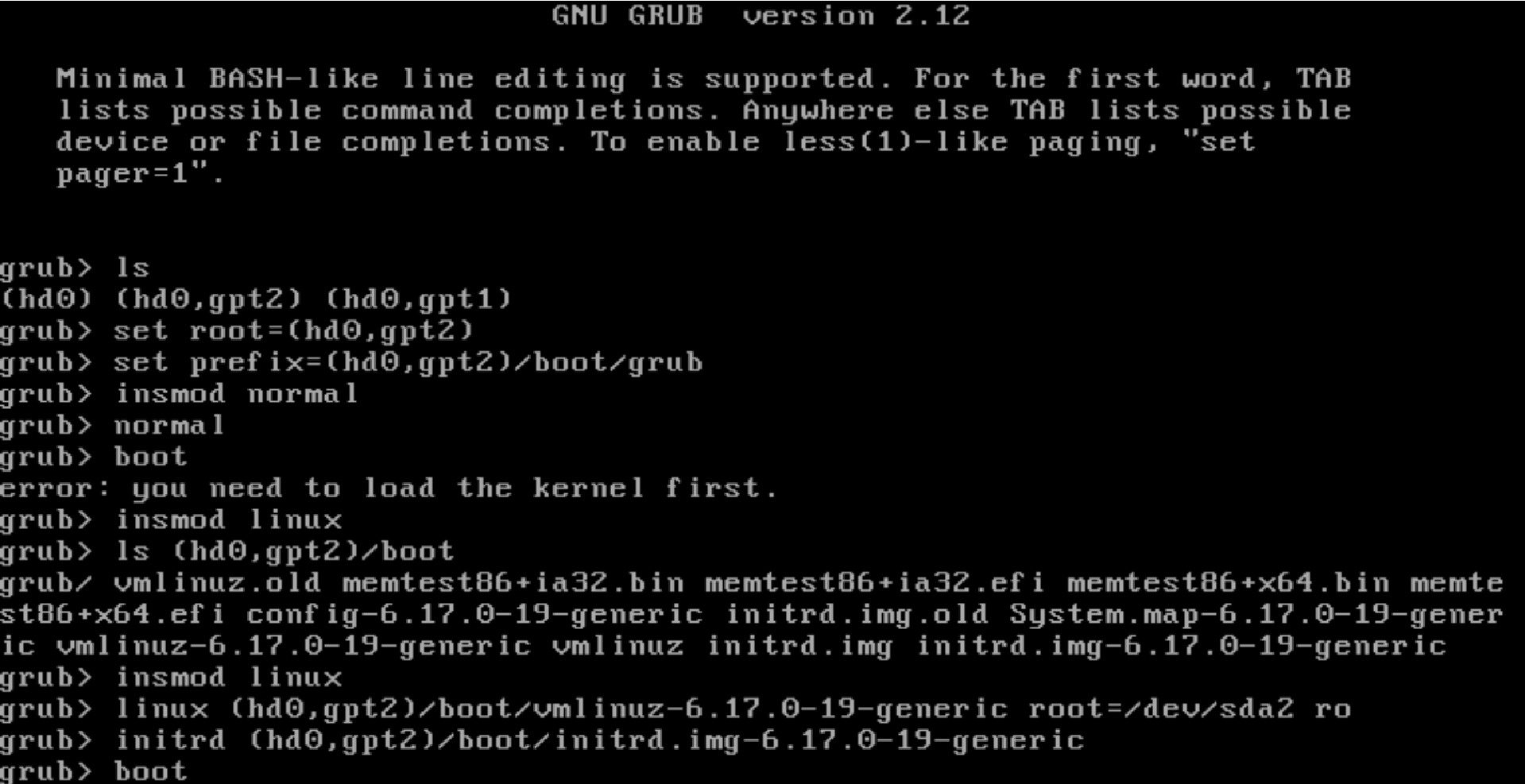
Step 1 — List Available Devices
ls
Output: (hd0) (hd0,gpt1) (hd0,gpt2)
Step 2 — Find the Root Filesystem
ls (hd0,gpt2)/boot/
Output: vmlinuz + initrd
Root filesystem identified: (hd0,gpt2)
Step 3 — Load Normal Mode
set root=(hd0,gpt2)
set prefix=(hd0,gpt2)/boot/grub
insmod normal
normal
If the boot menu appears, select your kernel and boot normally.
Step 4 — Manual Boot (If Needed)
insmod linux
linux (hd0,gpt2)/boot/vmlinuz-6.17.0-19-generic root=/dev/sda2 ro
initrd (hd0,gpt2)/boot/initrd.img-6.17.0-19-generic
boot
Step 5 — Make Fix Permanent
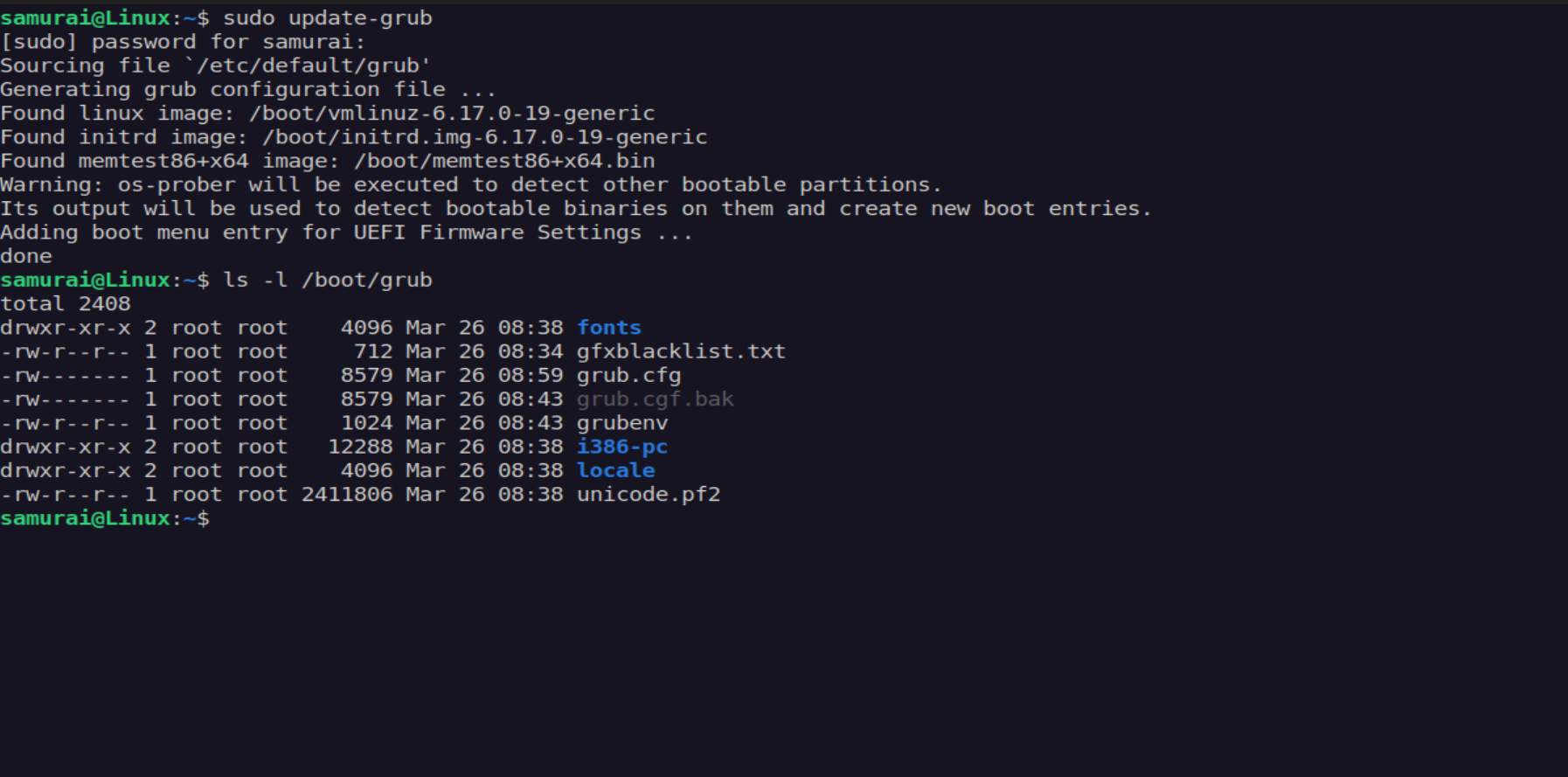
On Debian/Ubuntu:
sudo update-grub
On RHEL/CentOS:
sudo grub2-mkconfig -o /boot/grub2/grub.cfg
Verify:
ls -lh /boot/grub/grub.cfg
✅ Resolution
Server restored at 02:18 (14 minutes after alert).
Permanent fix completed at 02:35, within SLA.
📚 Lessons Learned
- Always verify
/boot/grub/grub.cfgafter kernel updates - GRUB shell recovery is a critical skill
- Document partition layout (
lsblk) before incidents