🧪 Cron Job Automation Lab
📌 Objective
To build a scheduled automation script, observe its behavior, and learn how to debug failures.
⚙️ Part 1 - Script Setup
Create a working directory:
mkdir -p ~/cronlab
cd ~/cronlab
Create the script:
nano backup.sh

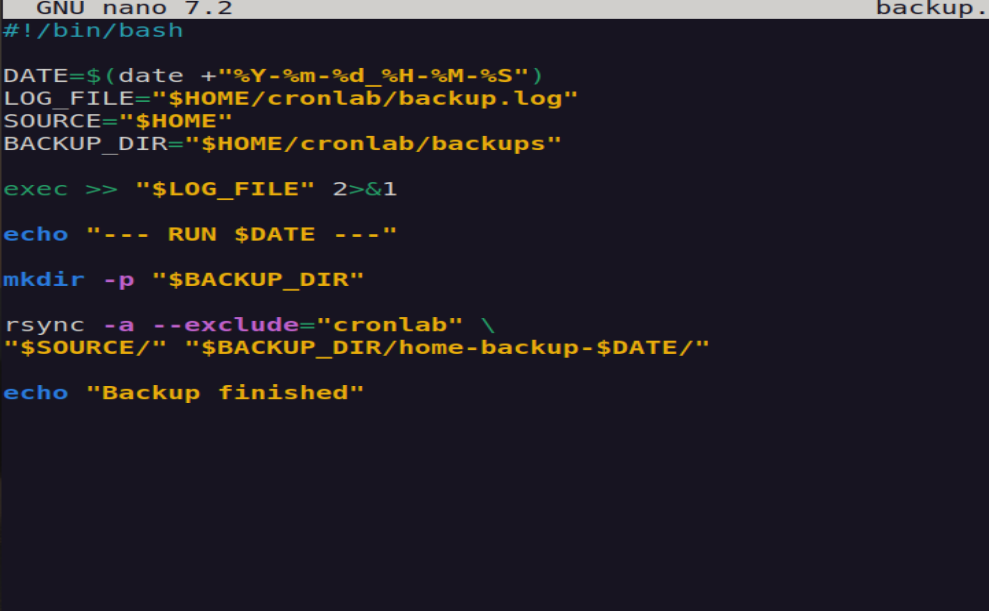
#!/bin/bash

DATE=$(date +"%Y-%m-%d_%H-%M-%S")
LOG_FILE="$HOME/cronlab/backup.log"
SOURCE="$HOME"
BACKUP_DIR="$HOME/cronlab/backups"

exec >> "$LOG_FILE" 2>&1

echo "--- RUN $DATE ---"

mkdir -p "$BACKUP_DIR"

rsync -a --exclude="cronlab" \
"$SOURCE/" "$BACKUP_DIR/home-backup-$DATE/"

echo "Backup finished"
Make it executable:
chmod +x backup.sh
Test manually:
./backup.sh
Check log:
cat ~/cronlab/backup.log
⏰ Part 2 - Schedule with Cron
Open crontab:
crontab -e
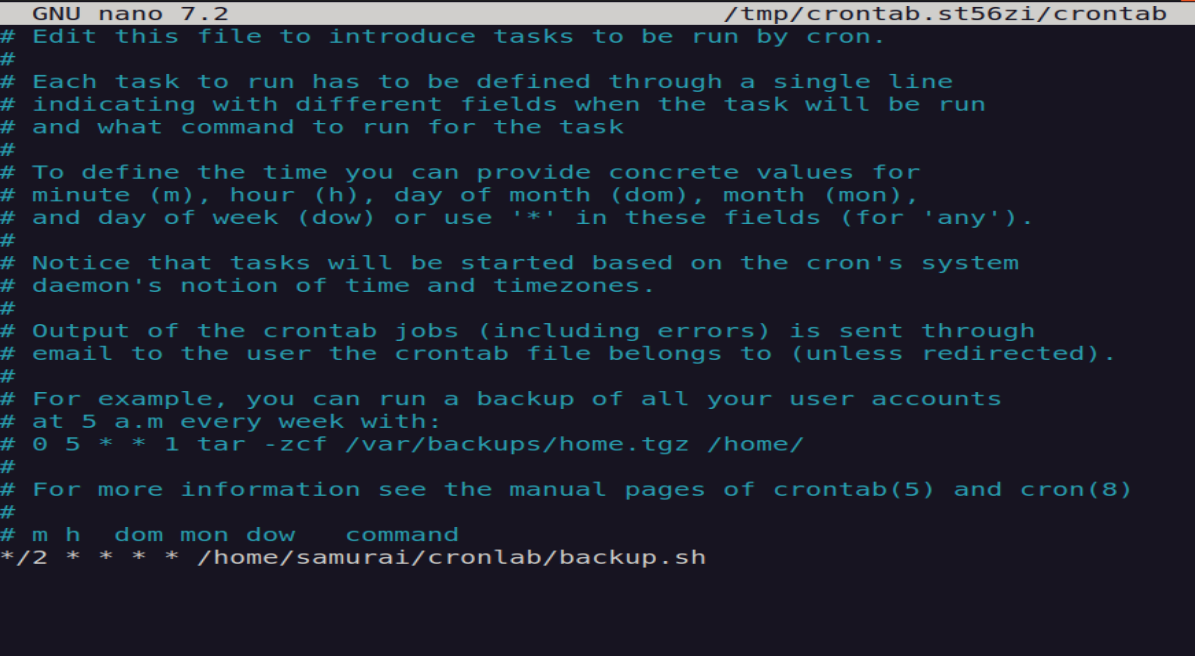
Add job (every two minutes):
*/2 * * * * /home/samurai/cronlab/backup.sh
Verify cron service:
systemctl status cron
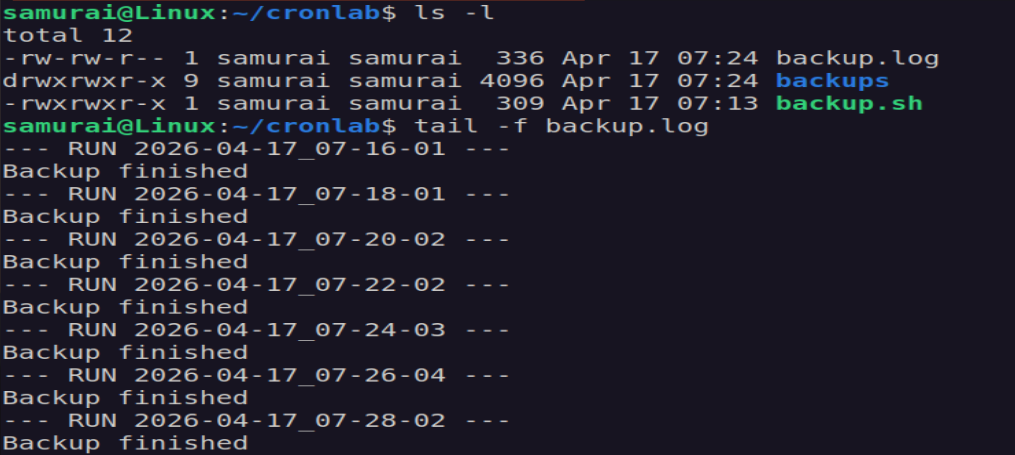
Monitor execution:
tail -f ~/cronlab/backup.log
💣 Part 3 — Failure Testing
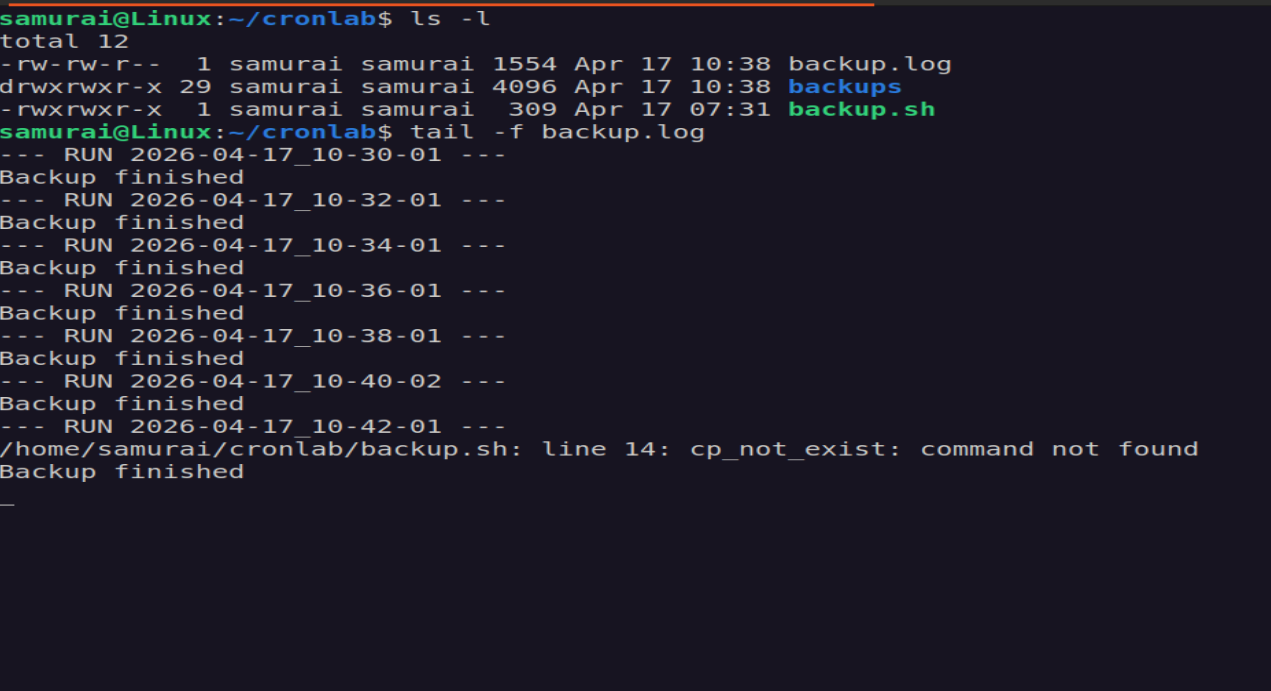
🔴 Test 1 - Broken Command
Replace rsync with:
cp_not_exist /fake/source /fake/dest
🔴 Test 2 — Missing Full Path
Edit crontab:
*/2 * * * * backup.sh
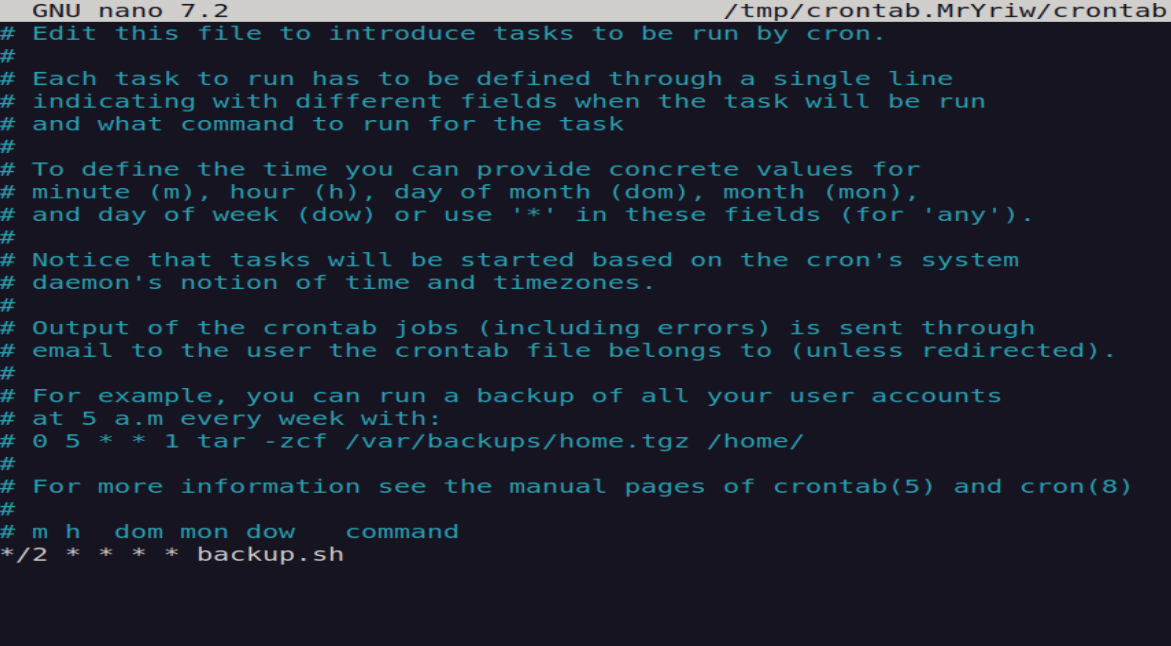
👉 Script will not run.
Reason: cron has no working directory context.
🔴 Test 3 - Remove Execute Permission
chmod -x ~/cronlab/backup.sh
👉 Script does not run at all.
👉 No logs appear (script never starts).
🔴 Test 4 - Silent Failure
Remove logging line:
# exec >> "$LOG_FILE" 2>&1
👉 Cron runs, but no visible output.
📜 Part 4 - Logging Strategy
Key Concept
- stdout - normal output
- stderr - errors
- both redirected into one log file
🧠 Key Takeaways
- Always use absolute paths
- Failures can be silent
- Logging must be explicit
- Some errors occur before the script even starts