Private DNS Infrastructure with BIND9
Objective
Build a private DNS infrastructure using BIND9 where:
- A DNS server resolves names in the company.lab domain.
- A web server hosts a website.
- A client uses the DNS server to locate and access the web server.
Environment
- Virtualization: VirtualBox
- OS: ( 1 DNS Server VM + 1 Web Server VM + 1 Client VM)
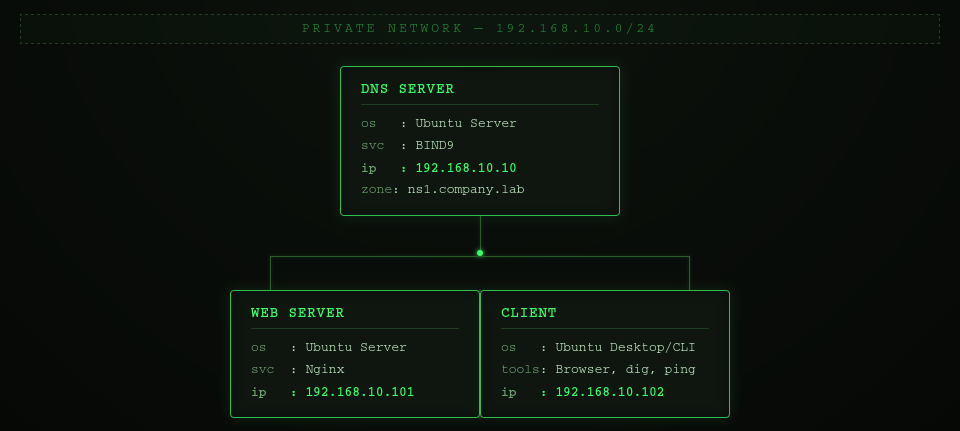
Network Topology
Phase 1 - Configure DNS Server
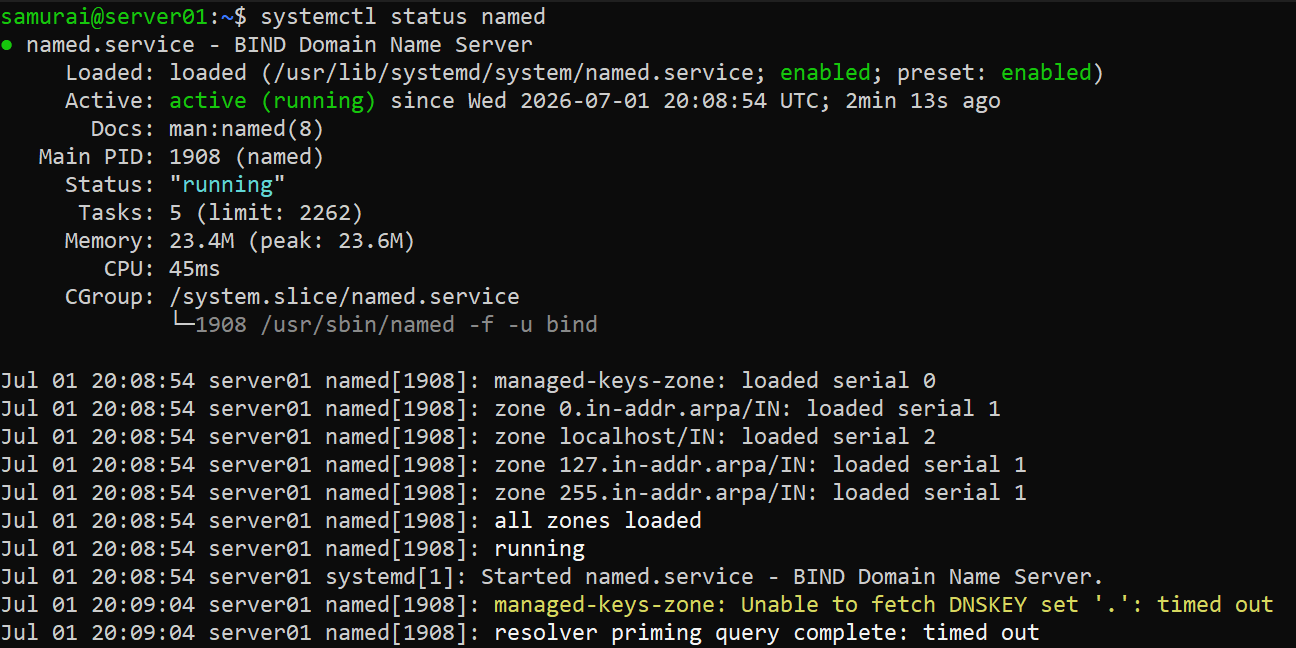
Step 1 - Install BIND9 and verify
sudo apt update
sudo apt install bind9 bind9-utils dnsutils
sudo systemctl status named/bind9
ss -tulnp | grep 192.168.10.10:53

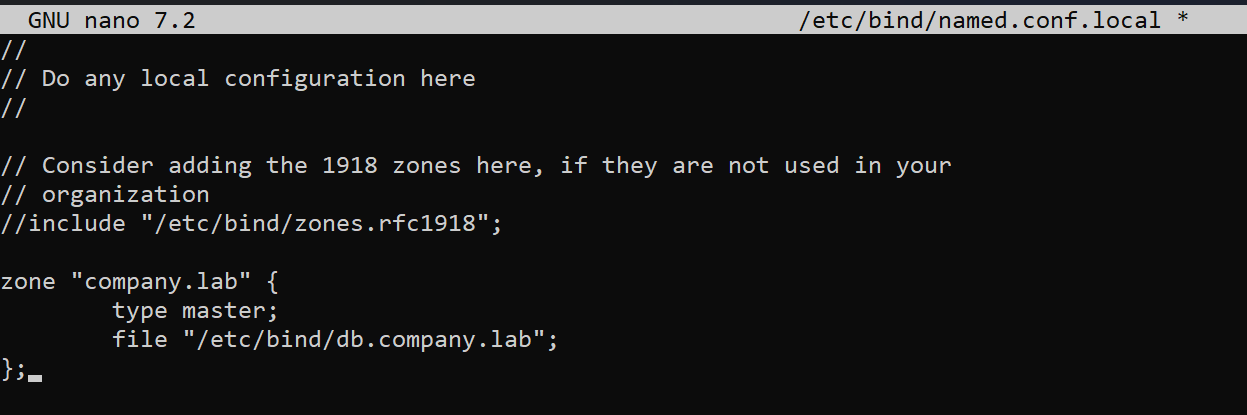
Step 2 - Create DNS Zone
sudo nano /etc/bind/named.conf.local
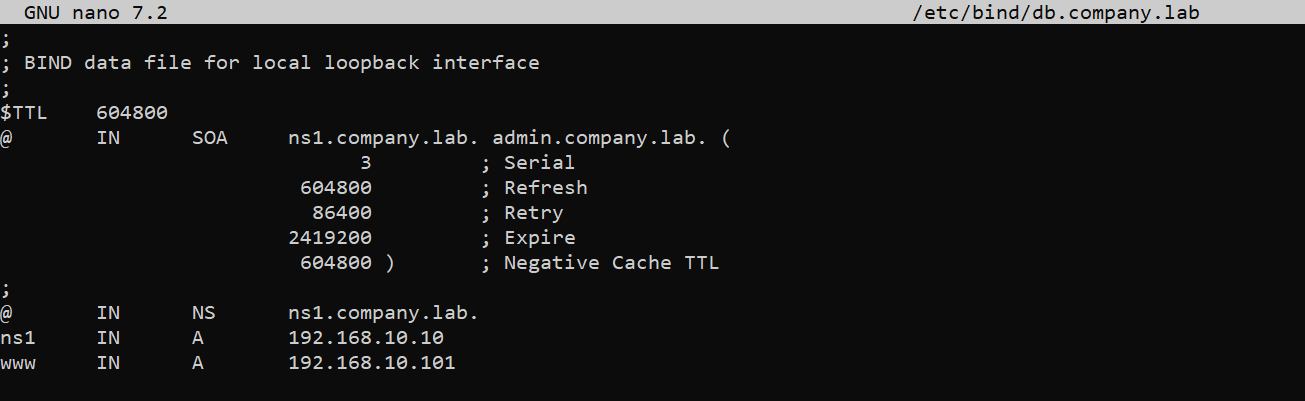
Step 3 - Create Zone file
sudo cp /etc/bind/db.local /etc/bind/db.company.lab
sudo nano /etc/bind/db.company.lab
Step 4 - Validate configuration and zone
sudo named-checkconf
Expected: no output
sudo named-checkzone company.lab /etc/bind/db.company.lab
Expected: OK
Reload BIND:
sudo systemctl reload bind9
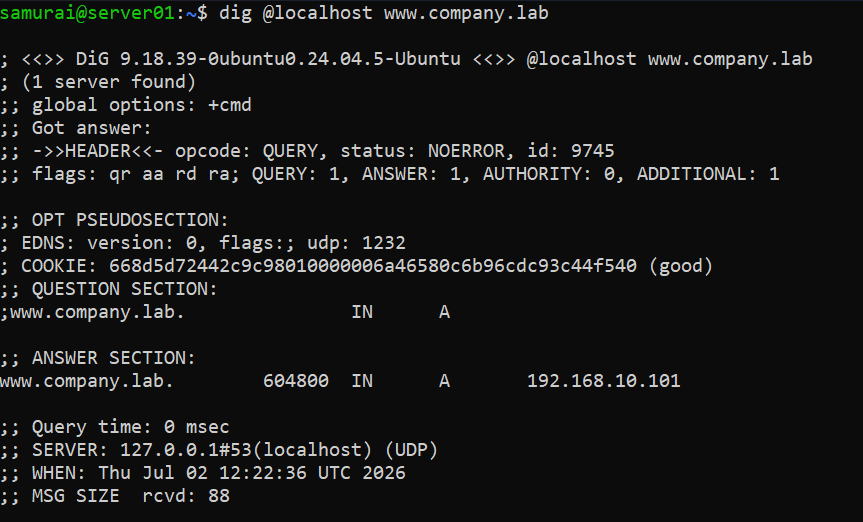
Step 5 - Test DNS Server
dig @localhost www.company.lab
Phase 2 - Configure Web Server
Step 1 - Install Nginx
sudo apt update
sudo apt install nginx
sudo systemctl status nginx
Phase 3 - Configure Client
Step 1 - Edit netplan:
sudo nano /etc/netplan/01-netcfg.yaml
sudo netplan apply
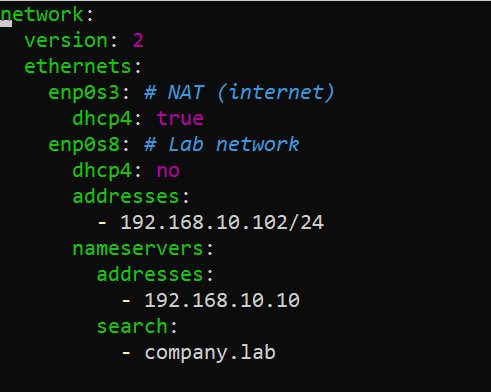
Step 2 - Verify DNS resolution
resolvectl status

Step 3 - Test
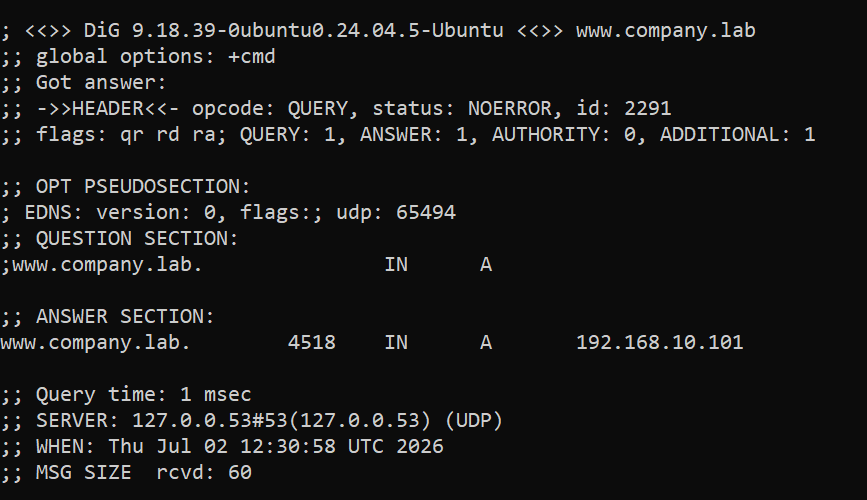
dig www.company.lab
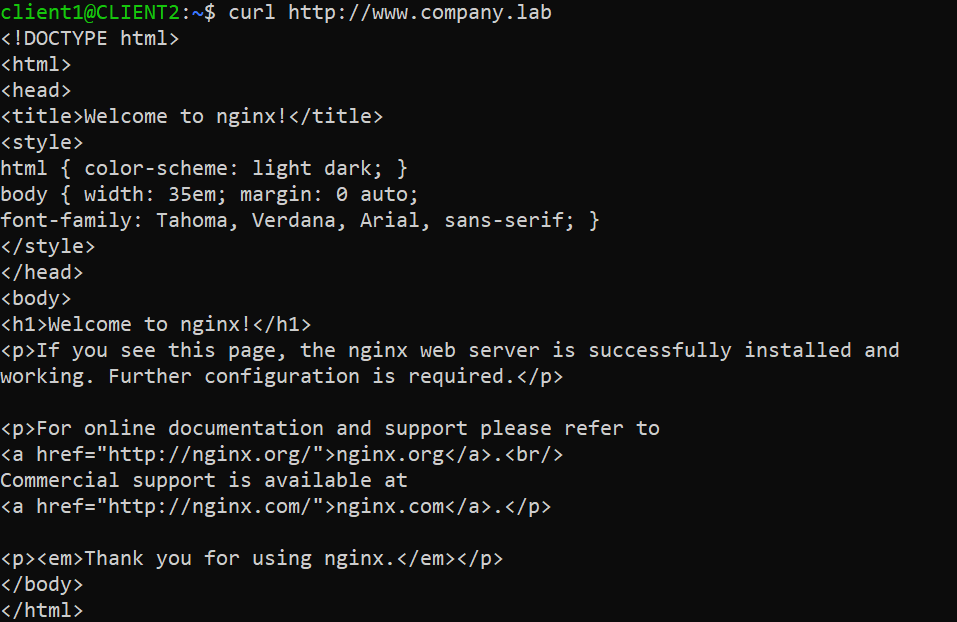
curl http://www.company.lab
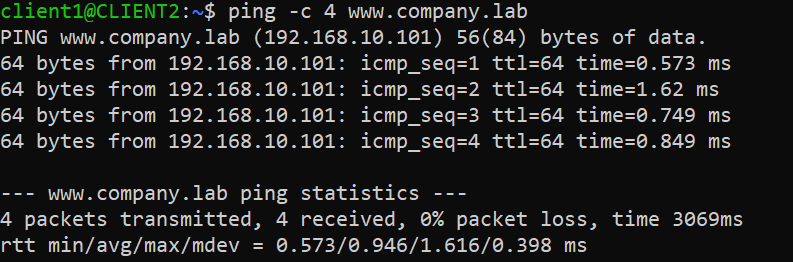
ping -c4 www.company.lab