Hosting Multiple Websites on One Server Using Nginx
Objective
Host multiple websites on a single web server by combining:
DNS (BIND9) Nginx Virtual Hosts (Server Blocks)
Environment
- Virtualization: VirtualBox
- OS: ( 1 DNS Server VM + 1 Web Server VM + 1 Client VM)
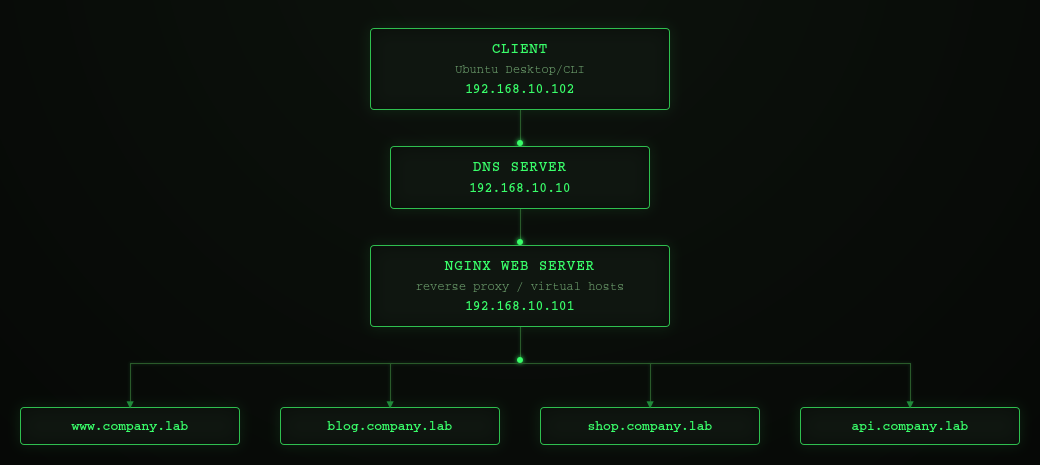
Network Topology
Prerequisites
This lab builds upon the Private DNS Infrastructure with BIND9 (3-VM Lab). The following components are assumed to already be configured:
- BIND9 installed and running on the DNS server.
- The company.lab DNS zone created and configured.
- The zone file (/etc/bind/db.company.lab) already exists.
- The client is configured to use the internal DNS server (192.168.10.10) via Netplan.
- DNS resolution between the client and the DNS server has been verified.
In this lab, the existing DNS infrastructure is extended by adding additional DNS records and configuring Nginx virtual hosts to host multiple websites on a single web server.
Phase 1 - Add DNS Records
Step 1 - Edit the Zone file
sudo nano /etc/bind/db.company.lab
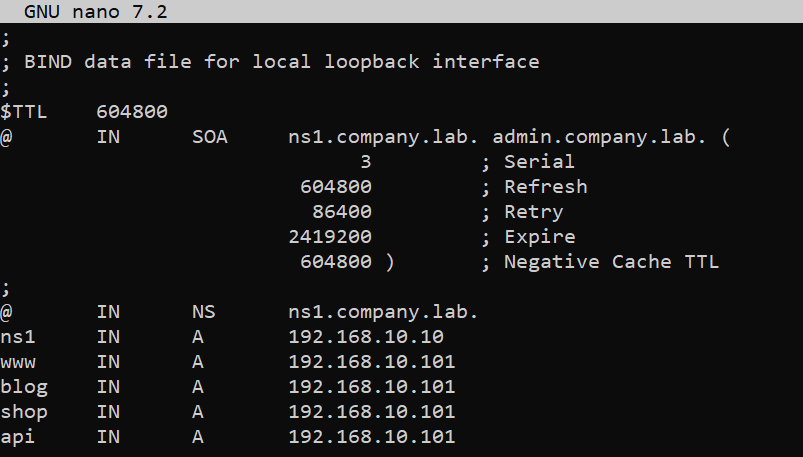
Note: Always increment the SOA serial number after editing the zone file.
Step 2 - Validate the Zone
sudo named-checkzone company.lab /etc/bind/db.company.lab
Expected Output: OK
Reload BIND:
sudo systemctl reload bind9
Phase 2 - Verify DNS
From the client:
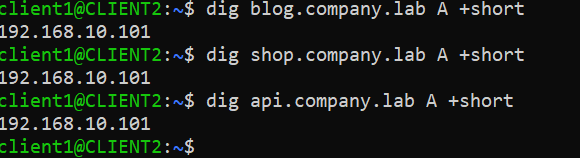
dig blog.company.lab A +short
dig shop.company.lab A +short
dig api.company.lab A +short
Expected Output: 192.168.10.101
Phase 3 - Create Website Directories
On the webserver:
sudo mkdir -p /var/www/www.company.lab
sudo mkdir -p /var/www/blog.company.lab
sudo mkdir -p /var/www/shop.company.lab
sudo mkdir -p /var/www/api.company.lab
Create simple home pages:
echo "<h1>Welcome to www.company.lab</h1>" sudo tee /var/www/www.company.lab/index.html
echo "<h1>Welcome to blog.company.lab</h1>" sudo tee /var/www/blog.company.lab/index.html
echo "<h1>Welcome to shop.company.lab</h1>" sudo tee /var/www/shop.company.lab/index.html
echo "<h1>Welcome to api.company.lab</h1>" sudo tee /var/www/api.company.lab/index.html
Phase 4 - Configure Nginx Virtual Hosts
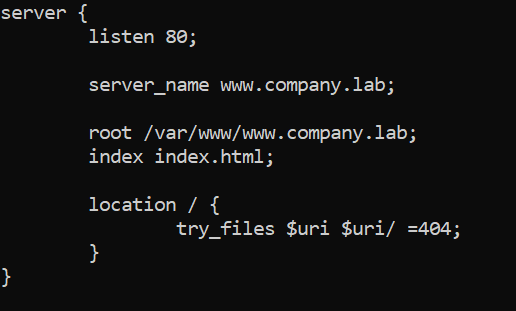
Step 1 - Create the Server Block
sudo nano /etc/nginx/sites-available/www.company.lab
Step 2 - Enable the website
sudo ln -s /etc/nginx/sites-available/www.company.lab\
/etc/nginx/sites-enabled/
Step 3 - Validate the configuration
sudo nginx -t
Expected outcome: syntax is ok / test is successful
Step 4 - Reload Nginx
sudo systemctl reload nginx
Note: Configure the remaining virtual hosts by repeating the Phase 4. Each configuration differs only in two directives (server_name and root)
Phase 5 - Testing
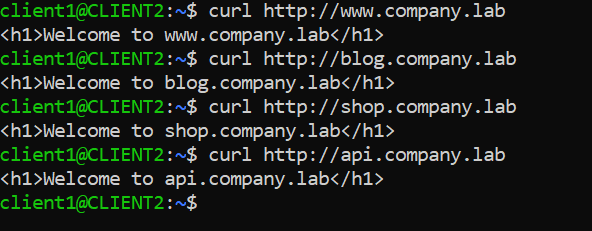
On client: