Objective
The lab focuses on troubleshooting real-world network failures by systematically isolating issues at each layer of the network stack.
Network Topology
LAN (User Network)		DMZ (Service Network)
192.168.10.0/24			192.168.20.0/24
__________________		_____________________

Client VM			Server VM
192.168.10.101			192.168.20.10
	|				|
	|				|
	________ Firewall VM ___________
		(Router + Firewall)
Issue 1: No connectivity between networks
Failure to connect to the webserver

Troubleshooting Workflow
Step 1 - Verify the service exists
From Server:
ss -tuln | grep :8080

QUESTION: Is the application listening? NO -> Problem in application layer YES -> Continue
Step 2 - Verify local connectivity
From Firewall:
curl http://192.168.20.10:8080
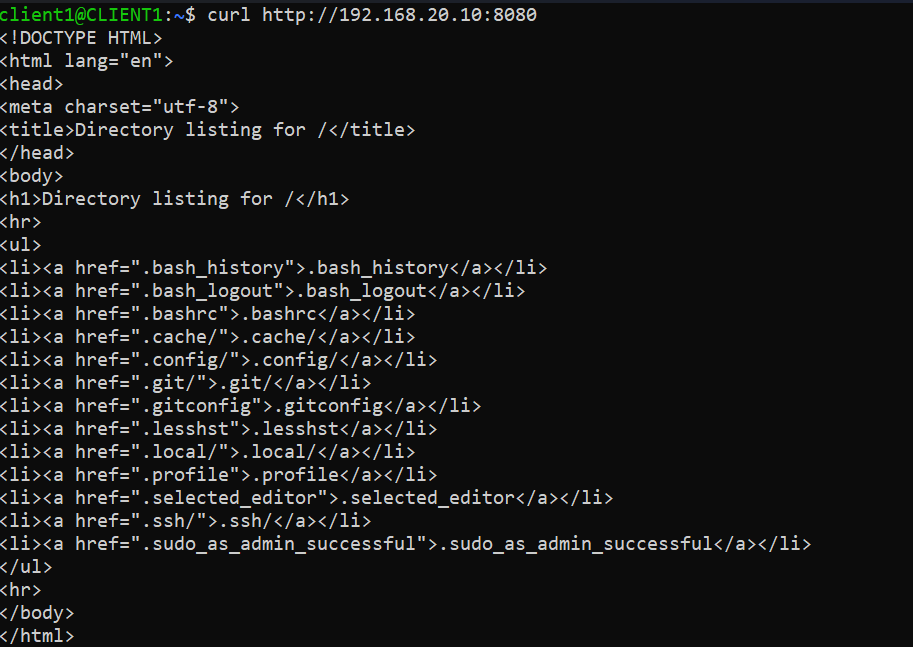
QUESTION: Can the firewall reach the server? NO -> Routing/Interface problem YES -> Server & DMZ network are working. (Continue)
Step 3 - Verify packet arrival
On firewall:
sudo tcpdump -i enp0s8 tcp port 8080
On client:
curl http://192.168.20.20:8080
!(enp0s8)[enp0s8.png]
QUESTION: Does traffic reach the firewall? NO -> Client routing issue, Wrong gateway, Wrong subnet YES -> Client-Firewall network works correctly (Continue)
Step 4 - Verify packet forwarding
On firewall:
sudo tcpdump -i enp0s9 tcp port 8080
On client:
curl http://192.168.20.20:8080
!(enp0s9)[enp0s9.png]
QUESTION: Does the traffic leave the firewall? NO -> Problem exists INSIDE firewall forwarding path: ip_forward is disabled, nftables is dropping packets, routing table issue (Continue) YES -> Problem is likely: return path, server firewall, application
Step 5 - Verify kernel forwarding
sysctl net.ipv4.ip_forward

ROOT CAUSE FOUND
sudo sysctl -w net.ipv4.ip_forward=1
OR
sudo nano /etc/sysctl.d/99-sysctl.conf
net.ipv4.ip_forward=1
sudo sysctl --system
Step 6 - Verify
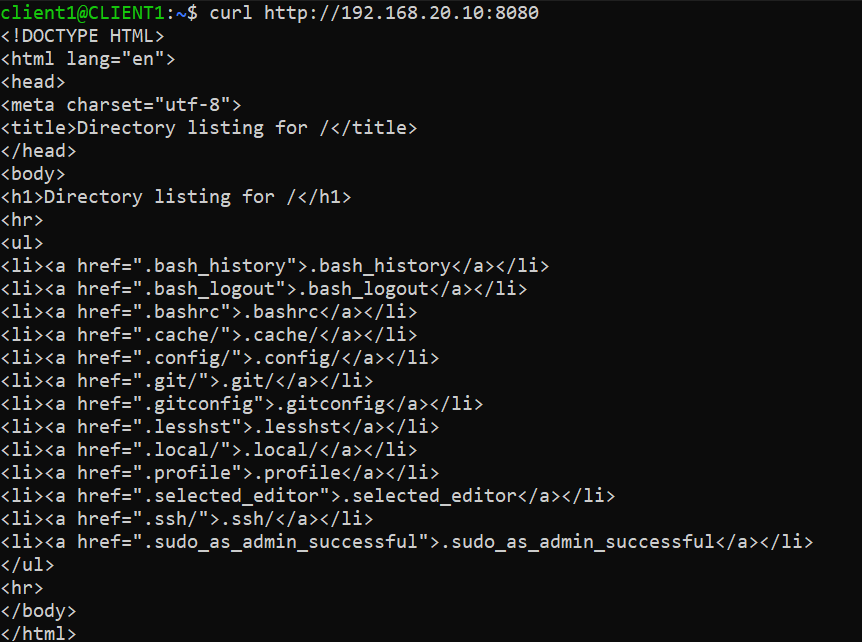
From client:
curl http://192.168.20.10:8080
Issue 2: Server reachable from firewall but not client

Troubleshooting Workflow
Step 1 - Verify the service exists
From Server:
ss -tuln | grep :8080

QUESTION: Is the application listening? NO -> Problem in application layer YES -> Continue
Step 2 - Verify local connectivity
From firewall:
curl http://192.168.20.10:8080

QUESTION: Can the firewall reach the server? NO -> Routing/Interface problem YES -> Server & DMZ network are working. (Continue)
Step 3 - Verify packet arrival
On firewall:
sudo tcpdump -i enp0s8 tcp port 8080
On client:
curl http://192.168.20.10:8080
.png)
QUESTION: Does traffic reach the firewall? NO -> Client routing issue, Wrong gateway, Wrong subnet YES -> Client-Firewall network works correctly (Continue)
Step 4 - Verify packet forwarding
On firewall:
sudo tcpdump -i enp0s9 tcp port 8080
On client:
curl http://192.168.20.20:8080
.png)
QUESTION: Does the traffic leave the firewall? NO -> Problem exists INSIDE firewall forwarding path: ip_forward is disabled, nftables is dropping packets, routing table issue (Continue) YES -> Problem is likely: return path, server firewall, application
Step 5 - Verify kernel forwarding
sysctl net.ipv4.ip_forward

Step 6 - Check nftables behavior
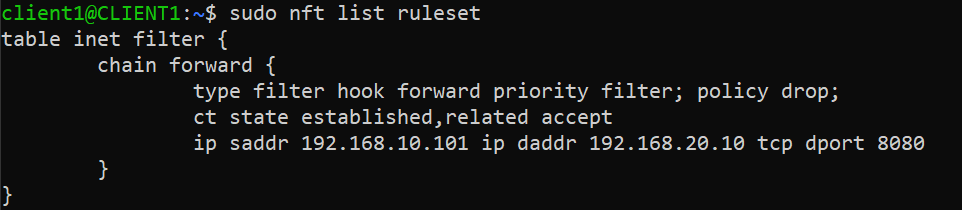
sudo nft list ruleset

ROOT CAUSE: The firewall is dropping all forwarded traffic because no FORWARD chain rules exist to explicitly allow LAN → DMZ communication.
FIX:
sudo nft add rule inet filter forward ct state established,related accept
sudo nft add rule inet filter forward iif enp0s8 oif enp0s9
sudo nft add rule inet filter forward ip saddr 192.168.10.101 ip daddr 192.168.20.10 tcp port 8080 accept
Step 7 - Verify
From client:
curl http://192.168.20.10:8080
