Objective
The goal of this lab is to design and implement a basic DMZ (Demilitarized Zone) network using Linux virtual machines, understand routing between network segments, and apply nftables as a stateful firewall.
Network Topology
LAN (User Network)		DMZ (Service Network)
192.168.10.0/24			192.168.20.0/24
__________________		_____________________

Client VM			Server VM
192.168.10.101			192.168.20.10
	|				|
	|				|
	________ Firewall VM ___________
		(Router + Firewall)
VM & Routing Configuration
Client VM
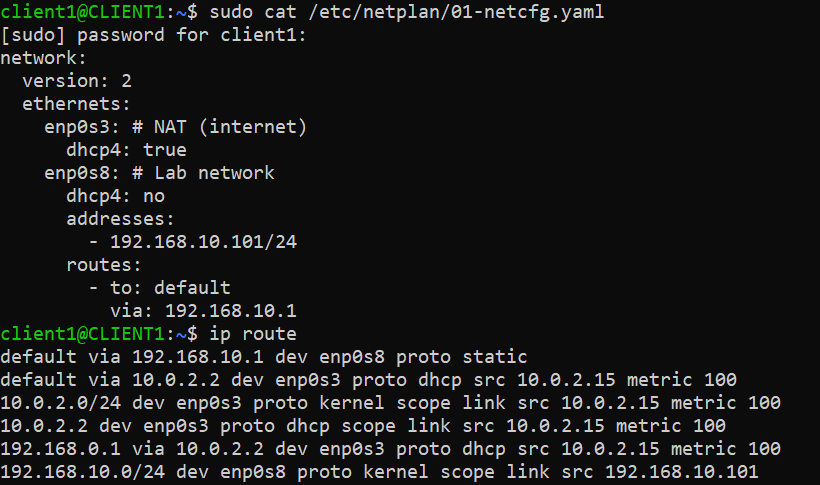
sudo netplan try
sudo netplan apply
Firewall VM (Core Router)
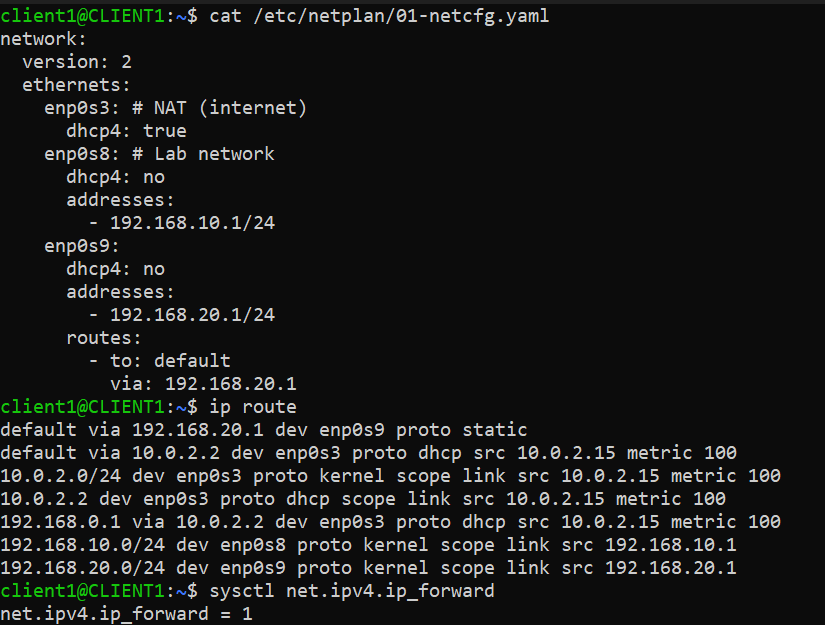
sudo netplan try
sudo netplan apply
The Firewall MUST ENABLE packet forwarding:
Temporary enable:
sudo sysctl -w net.ipv4.ip_forward=1
Permanent enable:
echo "net.ipv4.ip_forward=1" | sudo tee /etc/sysctl.d/99-ipforward.conf
sudo sysctl --system
Server VM (DMZ Host)
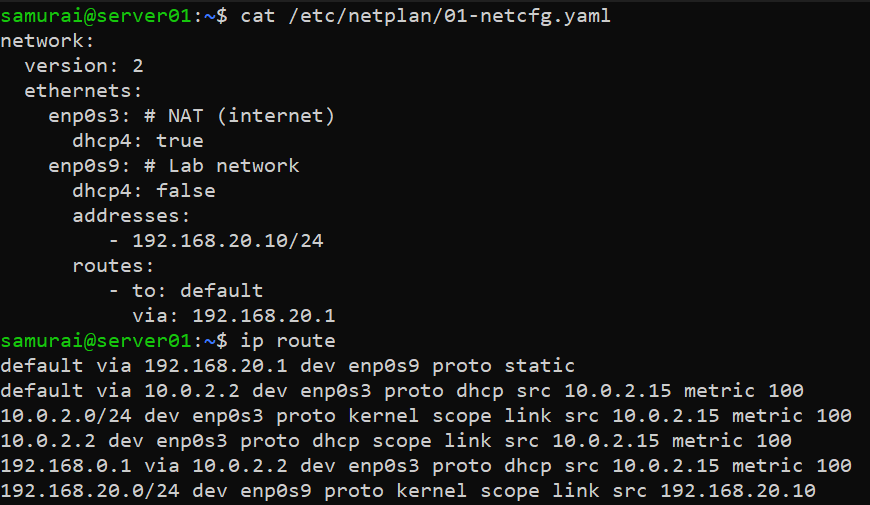
sudo netplan try
sudo netplan apply
nftables Firewall Configuration
Step 1 - Create table
sudo nft add table inet filter
Step 2 - Create FORWARD chain (core DMZ control point)
sudo nft add chain inet filter forward \
'{ type filter hook forward priority 0; policy drop; }'
Step 3 - Allow return traffic (stateful firewall behavior)
sudo nft add rule inet filter forward \
ct state established,related accept
iif enp0s8 oif enp0s9
Step 4 - Allow LAN -> DMZ HTTP access (TCP 8080)
sudo nft add rule inet filter forward \
ip saddr 192.168.10.101 \
ip daddr 192.168.20.10 \
tcp dport 8080 accept

Services Used
On Server VM:
python3 -m http.server 8080 &
This simulates a simple HTTP service.

Testing
LAN to DMZ connectivity (HTTP)
From Client VM:
curl http://192.168.20.10:8080
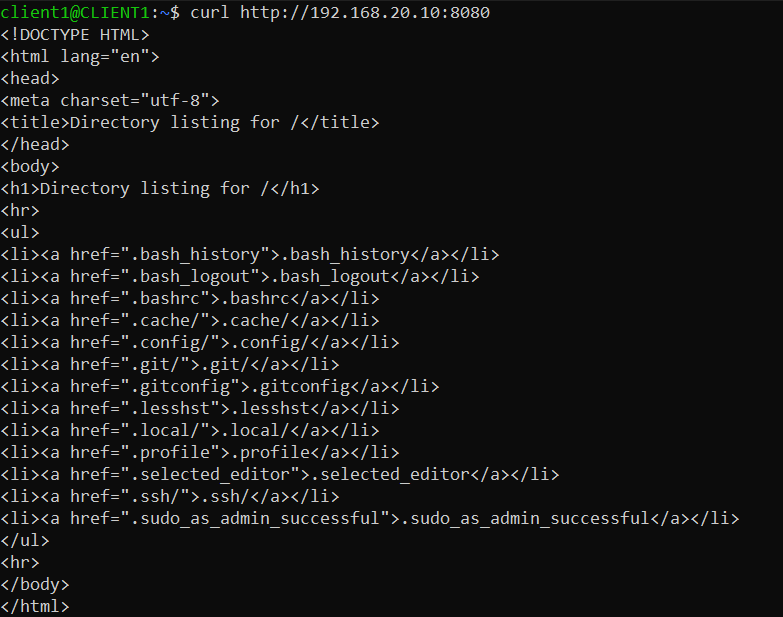
From Server VM:

Firewall verification
Check packet flow:
sudo tcpdump -i enp0s8
sudo tcpdump -i enp0s9


Expected:
- Requests visible on enp0s8
- Forwarded traffic visible on enp0s9