Objective
Lab Environment
Client VM 1 - 192.168.10.101 Client VM 2 - 192.168.10.102 Server VM - 192.168.10.10
Server Setup
Step 1 - Run web server
python3 -m http.server 8080
ss -tln | grep :8080

Step 2 - Base firewall configuration
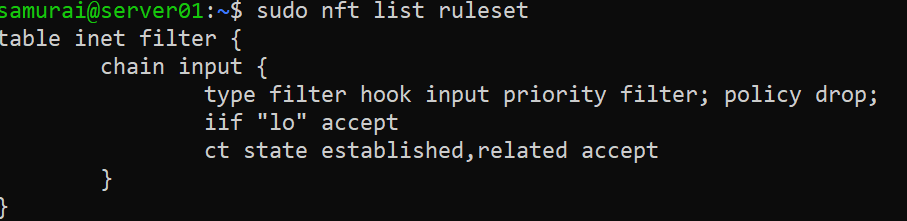
sudo nft add table inet filter
sudo nft add chain inet filter input \
'{ type filter hook input priority 0; policy drop; }'
sudo nft add rule inet filter input iif lo accept
sudo nft add rule inet filter input ct state established,related accept
Practical Task 1
Objective - Understand how a stateful firewall allows packets belonging to existing connections.
Step 1 - Add SSH rule
sudo nft add rule inet filter input tcp dport 22 accept
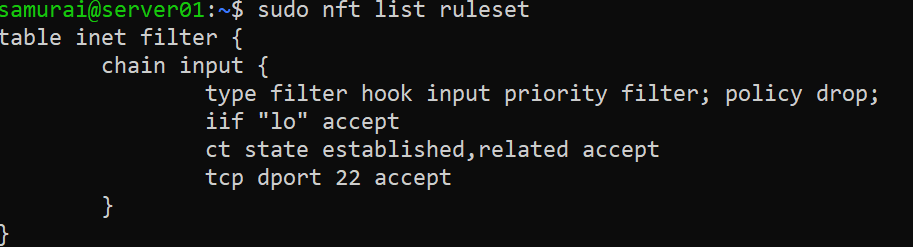
Step 2 - Connect from Client VM
ssh user@SERVER_IP

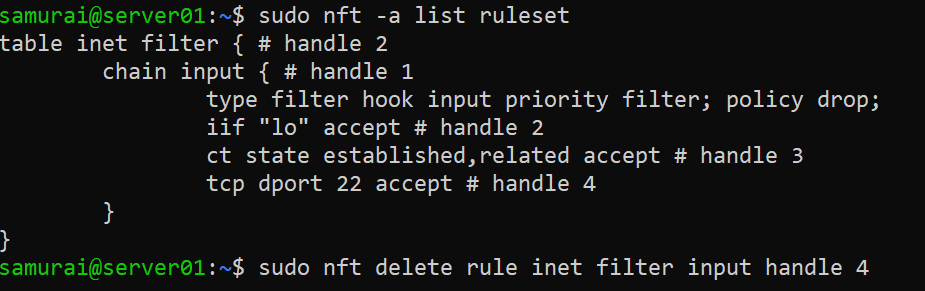
Step 3 - Delete SSH rule
sudo nft -a list ruleset
sudo nft delete rule inet filter input handle 4
Expected Result:
Current SSH session - Works (matches ct state established,related accept) New SSH session - Blocked (does not match any rule and it’s dropped)
Practical Task 2
Objective - Allow access to a web service based on destination port.
Step 1 - Add HTTP rule
sudo nft add rule inet filter input tcp dport 8080 accept
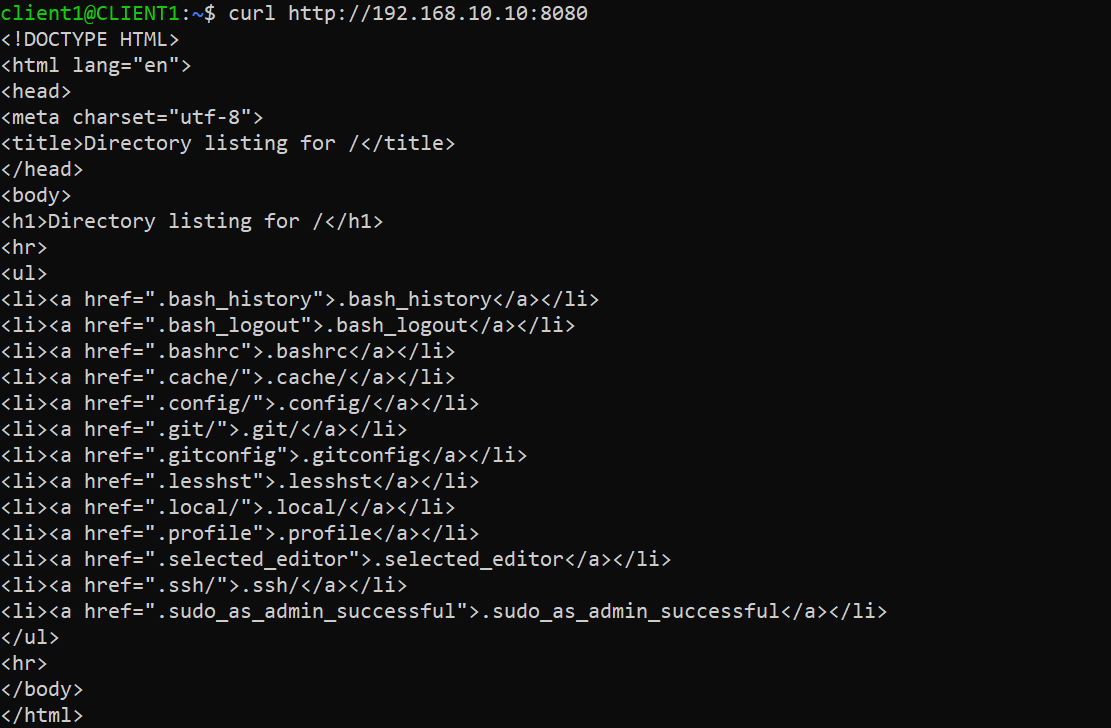
From Client VM:
curl http://192.168.10.10:8080
Expected Result: HTML page returned
EXPERIMENT
Step 2 - Replace HTTP rule
sudo nft replace rule inet filter input handle 5 tcp dport 8080 drop
From Client VM:
curl http://192.168.10.10:8080
Expected Result: Connection timed out

IMPORTANT OBSERVATION
Server process is still running:

CONCEPT: Listening service ≠ Reachable service (The firewall decides reachability)
Practical Task 3 - Source IP Filtering
Objective - Allow only a specific client to access the web server.
Step 1 - Configuration
sudo nft add rule inet filter input ip saddr 192.168.10.101 tcp dport 8080 accept
sudo nft add rule inet filter input tcp dport 8080 drop
sudo nft add rule inet filter input log prefix \"DROP: \"
Step 2 - Verification
Run on Client VM 1 and Client VM 2:
curl http://192.168.10.10:8080
Run on Server VM:
journalctl -f

CONCEPT: ACL (Access Control Lists) Traffic can be filtered not only by port but also by source address