🧪 Basic Network Setup & Connectivity Lab
📌 Objective
Understand how IP addressing, subnetting, and basic connectivity work in a controlled virtual environment.
⚙️ Environment
- Virtualization: VirtualBox
- OS: Ubuntu Server (2 VMs)
- Network mode: Internal Network + NAT
VMs
| VM | IP Address | Role |
|---|---|---|
| VM1 | 192.168.10.10/24 | Client |
| VM2 | 192.168.10.20/24 | Server |
🛠️ Setup
Step 1 - Create Virtual Machines
Create two Linux virtual machines:
- server_01
- server_02
Recommended specs:
- 1 CPU
- 1-2 GB RAM
- 10+ GB disk
Step 2 - Configure Network
Both VMs must use the same Internal Network This ensures both machines are on the same isolated Layer 2 network.
Step 3 - Assign Static IPs
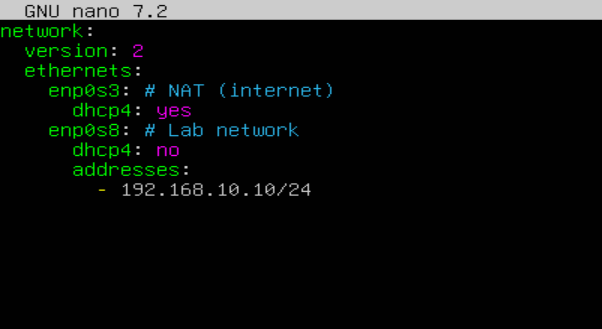
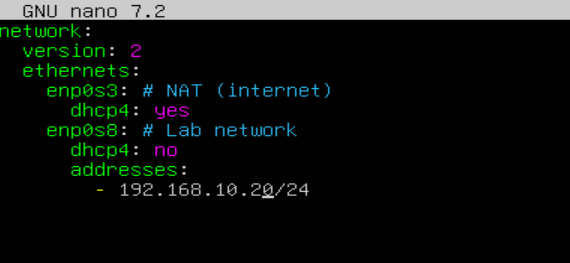
server_01 and server_02 configuration
Edit netplan:
sudo nano /etc/netplan/01-netcfg.yaml
sudo netplan apply
Step 4 - Verify configuration
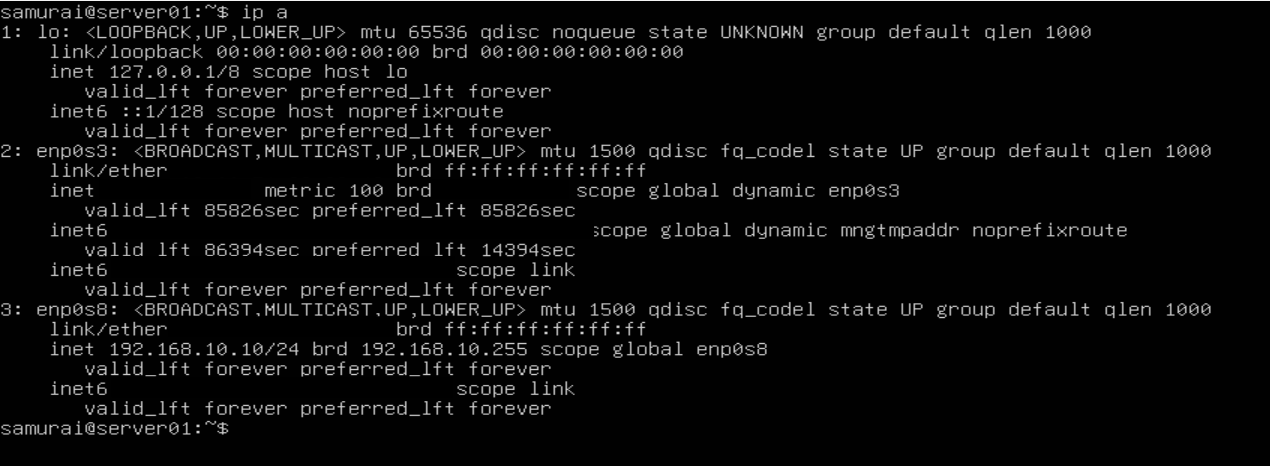
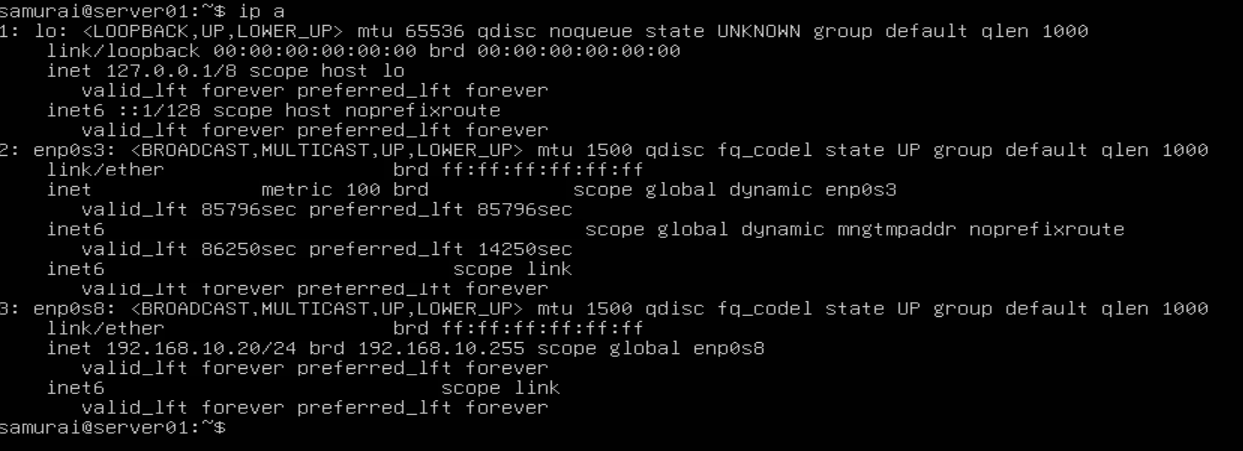
Check ip addresses:
ip a
Expectet output:
- server_01 -> 192.168.10.10
- server_02 -> 192.168.10.20
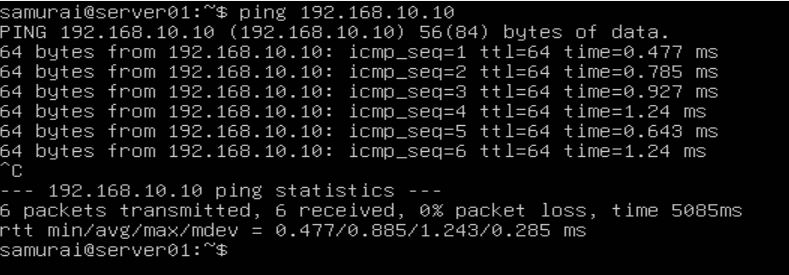
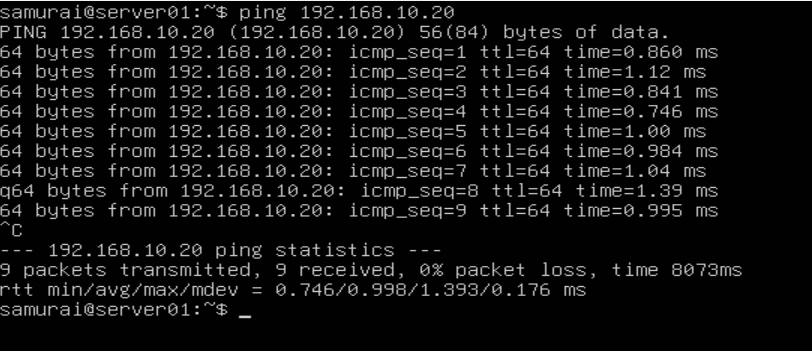
Step 5 - Connectivity Test
From server_01:
ping 192.168.10.20
From server_02:
ping 192.168.10.10
Expected result:
- Successful ICMP replies
- Direct communication (same subnet)
Step 6 - Traceroute Test
Install traceroute:
sudo apt install traceroute
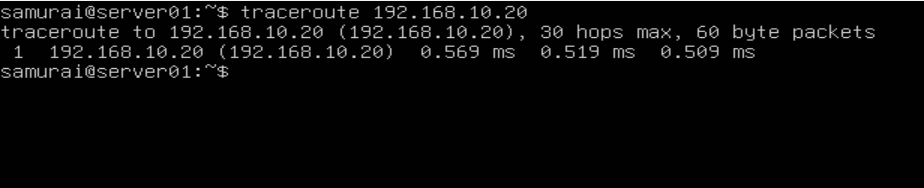
Traceroute test:
traceroute 192.168.10.20
Expected result:
- Single hop (direct connection)
- No routes involved
🧪 Experiment - Break the Network (Subnet Mismatch)
Change server_02 IP
addresses:
- 192.168.20.20/24

sudo netplan apply
🧠 Debugging
- Confirm local network configuration
On server_01:
ip a
Expected result:
- Correct IP assigned (192.168.10.10/24)
- Correct subnet mask (/24)
- Verify routing table
ip route
Key observation:
- Only local subnet route exists
- No route to 192.168.20.0/24

- Check target host reachability assumption
Verify server_02 configuration:
ip a
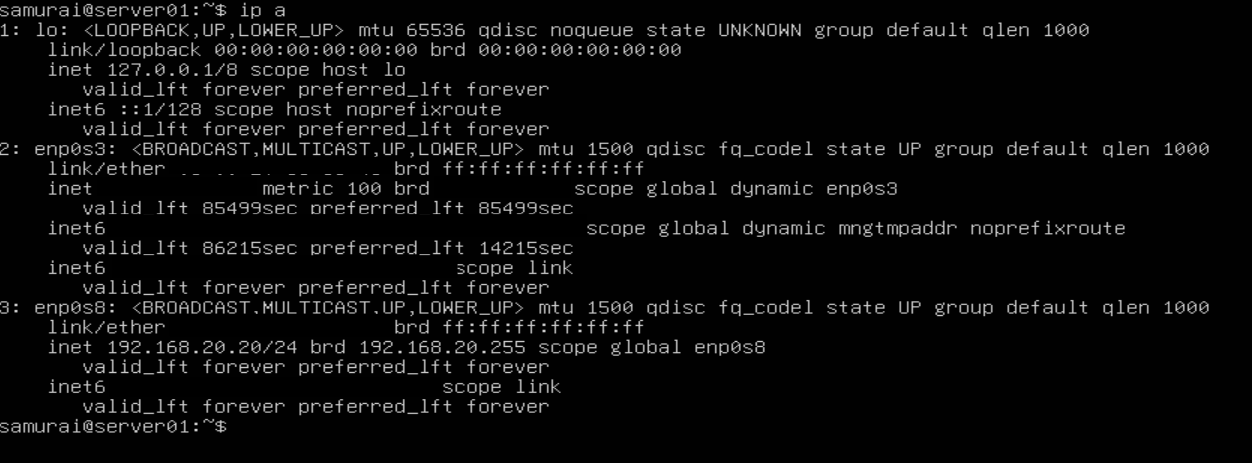
Key observation:
- Target IP is valid (192.168.20.20/24)
- server_02 belongs to a different subnet
- Analyze packet decision process
When server_01 send traffic:
ping 192.168.20.20
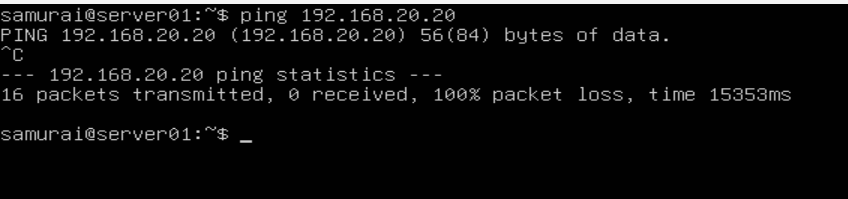
Linux checks routing table:
- Is 192.168.20.20 in 192.168.10.0/24 ? -> ❌ No
- Use default gateway
- Validate gateway capability
Check assumption:
- Default gateway is NAT (VirtualBox)
- It has no route to internal lab networks
Result: ❌ Gateway cannot reach 192.168.20.0/24
- Confirm absence of router between the subnets
Check environment design:
- Only two VMs exist
- No routing device configured
- No IP forwarding enabled
Conclusion: 👉 No Layer 3 device connects both networks
🚨 Root Cause
The issue is:
❌ Subnet mismatch with no routing infrastructure
Specifically:
- server_01: 192.168.10.0/24
- server_02: 192.168.20.0/24
- No router exists between them
🔧 Resolution
Restore same subnet on server_02:
addresses:
 - 192.168.10.20/24

sudo netplan apply
🧪 Validation
from server_01:
ping 192.168.10.20
🧠 Key Takeaways
- Devices must be in the same subnet for direct communication
- Routing is required between different networks
- Linux always checks routing table before sending packets
- Default gateway is only used when no local route exists
🧭 Mental Model
When troubleshooting connectivity:
- Is IP correct?
- Is subnet correct?
- Is destination in routing table?
- Is a router required?
- Does the router actually exists?