🧪 Linux Networking and Service Exposure Lab
📌 Objective
This lab simulates real-world Linux networking issues and teaches how to troubleshoot:
- Service availability
- Port listening
- Firewall behavior (UFW)
- Binding (’localhost’ vs external access)
- Network-layer debugging
⚙️ Environment
- OS: Ubuntu (VM + Bridged Adapter)
- Service: Nginx
- Tools: ss, curl, ufw, systemctl
- Host machine for external testing (Powershell)
🟢 Stage 1
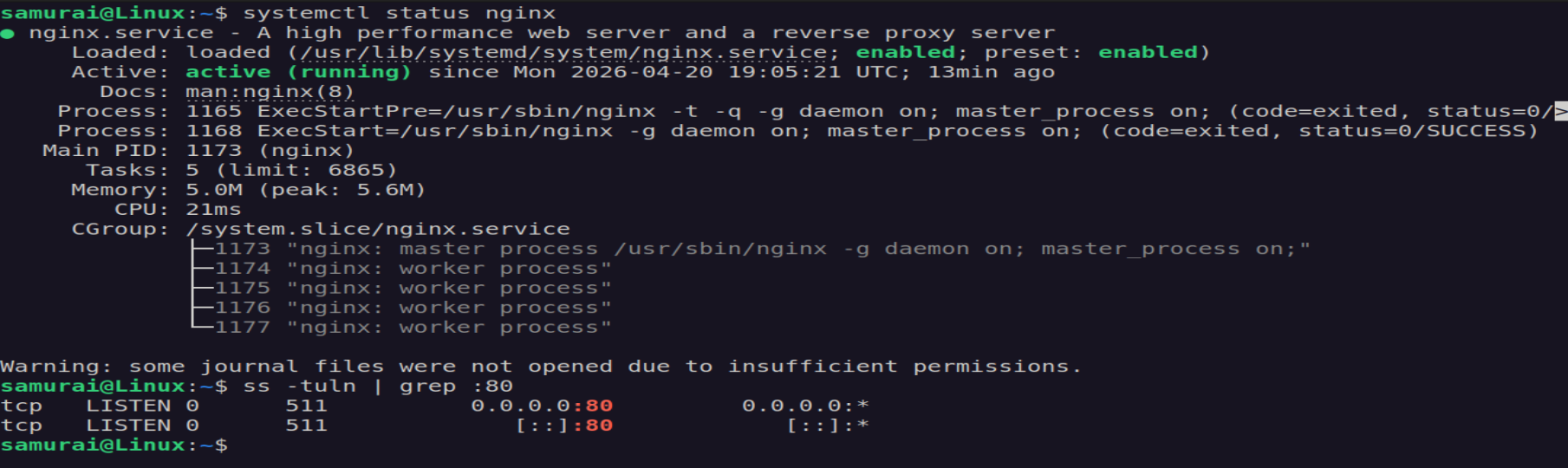
Verify service:
systemctl status nginx
Expected outcome: Active (running)
Check listening ports:
ss - tuln | grep :80
Expected outcome: 0.0.0.0:80
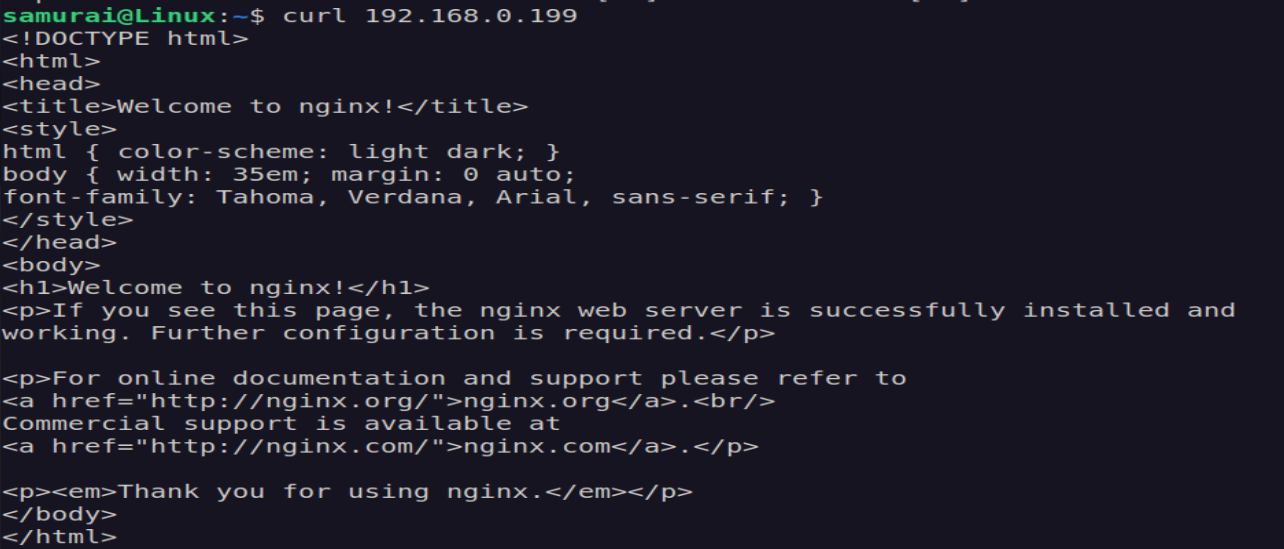
Test locally:
curl 192.160.0.199
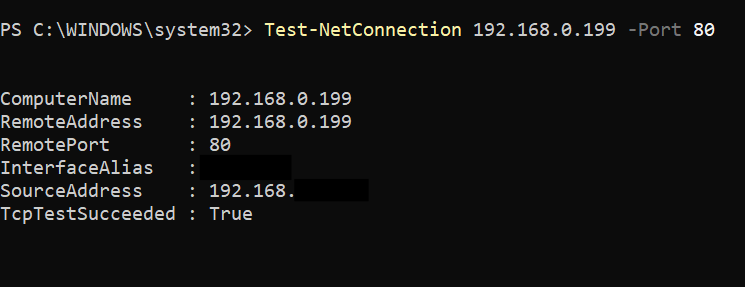
Test from host:
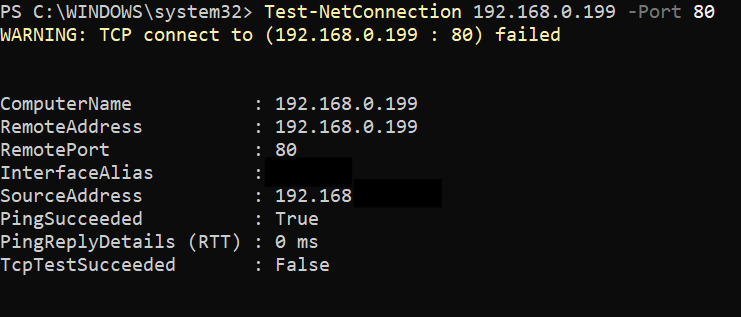
Test-NetConnection 192.168.0.199 -Port 80
🔴 Stage 2 - Break the System
🧪 Challenge 1 - Firewall Block
sudo ufw enable
sudo ufw deny 80

Expected Outcome:
- Local curl works
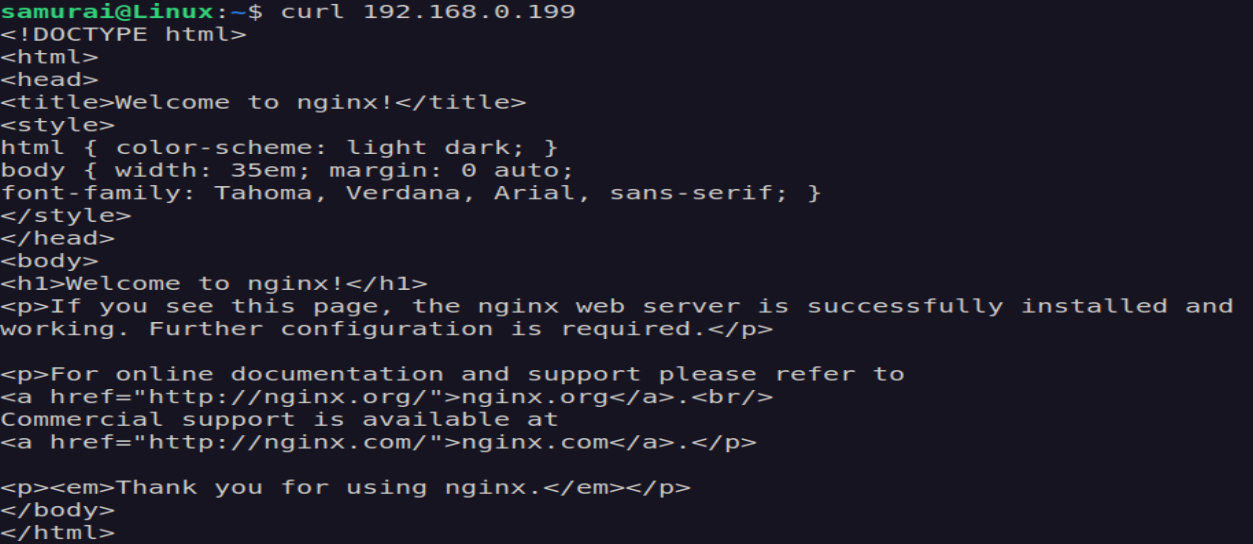
- External connection fails
🔥 Debugging
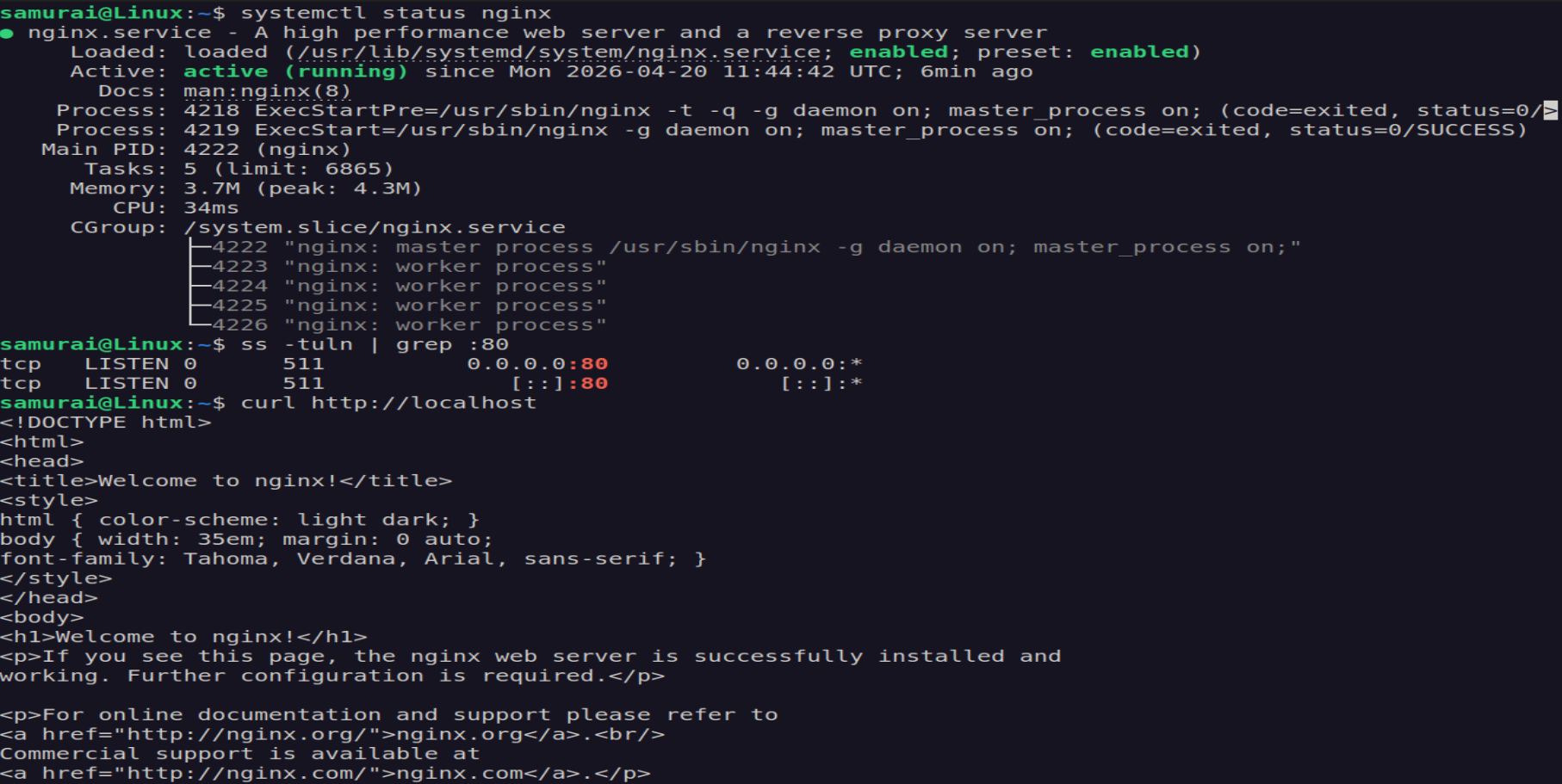
- Confirm service is running:
systemctl status nginx
- Confirm port is listening:
ss -tuln | grep :80
Expected Outcome:
0.0.0.0:80
- Test local access:
curl http://localhost
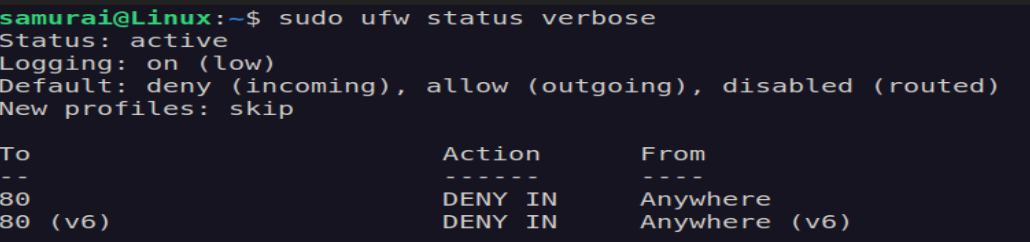
- Check firewall state:
sudo ufw status verbose
🧠 Diagnosis
Service run locally but not externally -> firewall is blocking TCP traffic
🛠 Fix
sudo ufw allow 80/tcp
or
sudo ufw disable

✅ Verification
From host:
🧠 Key lesson
- PING working does not mean service is reachable
- Firewall blocks TCP, not ICMP in many cases
🧪 Challenge 2 - Bind to localhost only
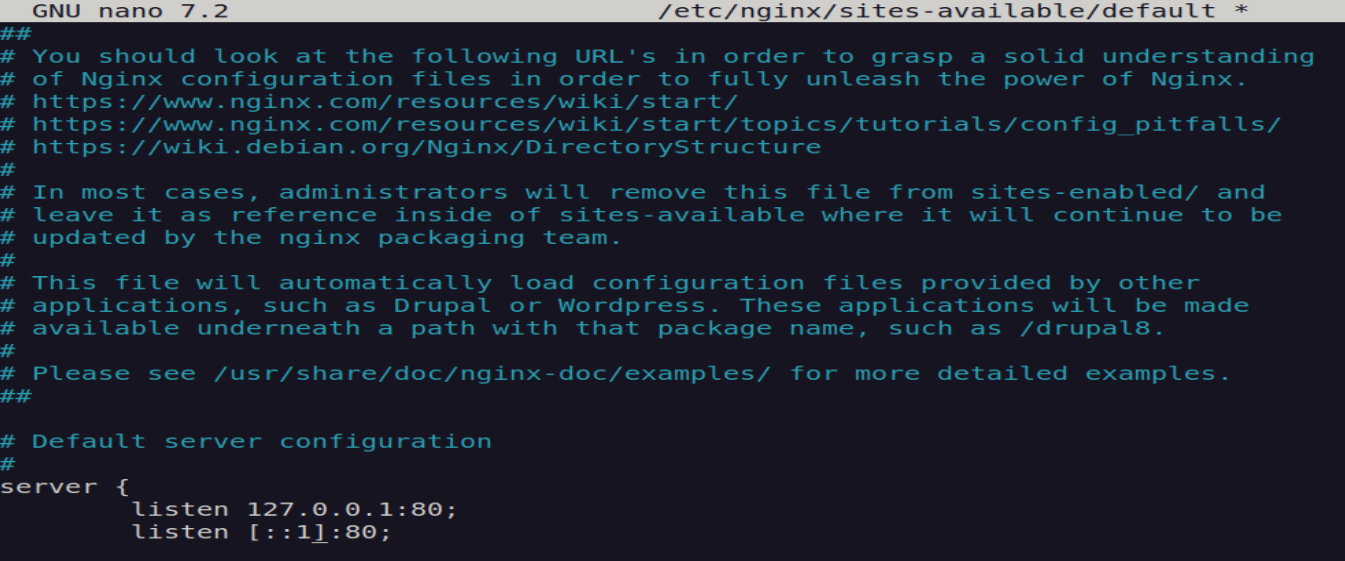
Edit conf:
sudo nano /etc/nginx/sites-available/default
Change:
listen 127.0.0.1:80;
listen [::1]:80;
Restart:
sudo systemctl restart nginx
Expected outcome:
- curl localhost works ✔
- curl IP fails ❌
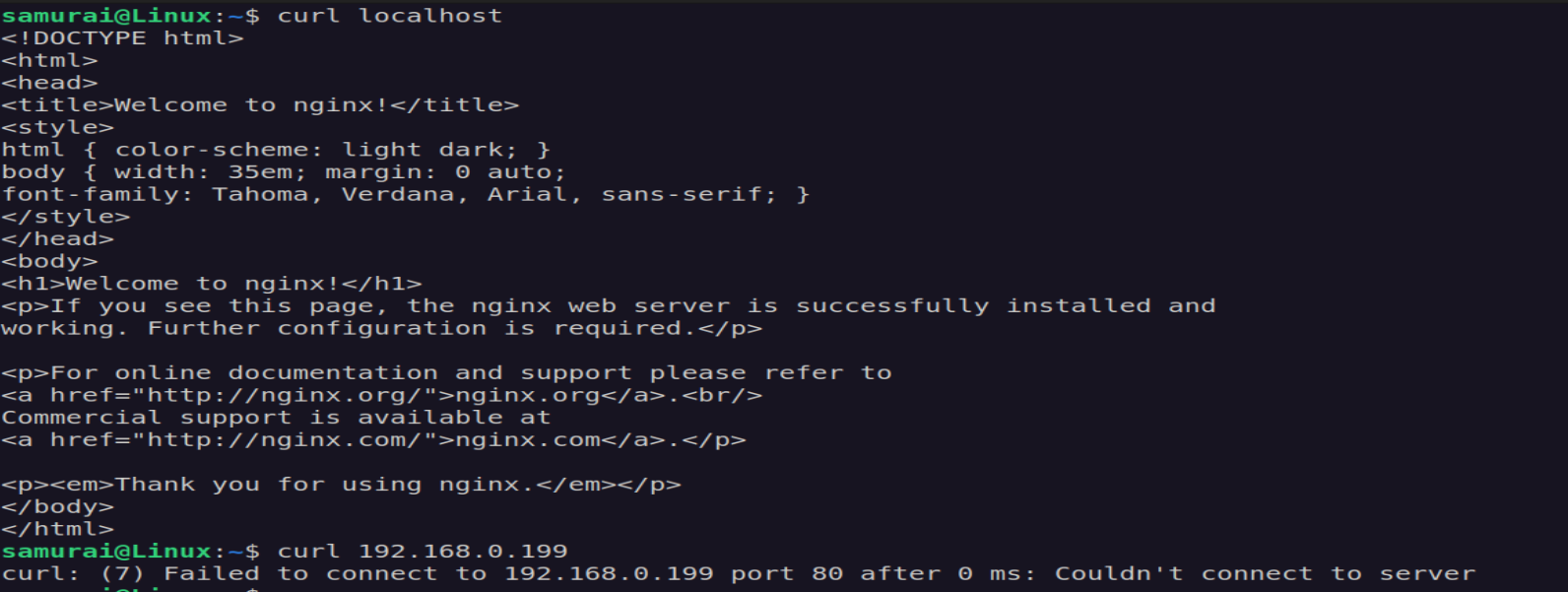
- Host access fails ❌
🔥 Debugging
- Check service:
systemctl status nginx
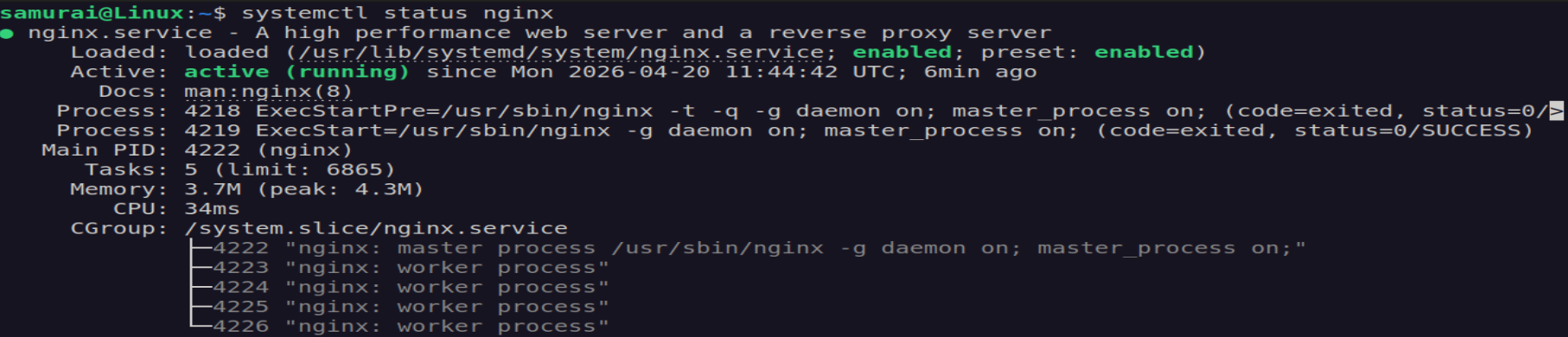
- Check listening interface:
ss -tuln | grep :80
Expected Outcome:
127.0.0.1:80
- Test localhost explicitly:
curl http://localhost
- Test network IP address:
curl 192.168.0.199
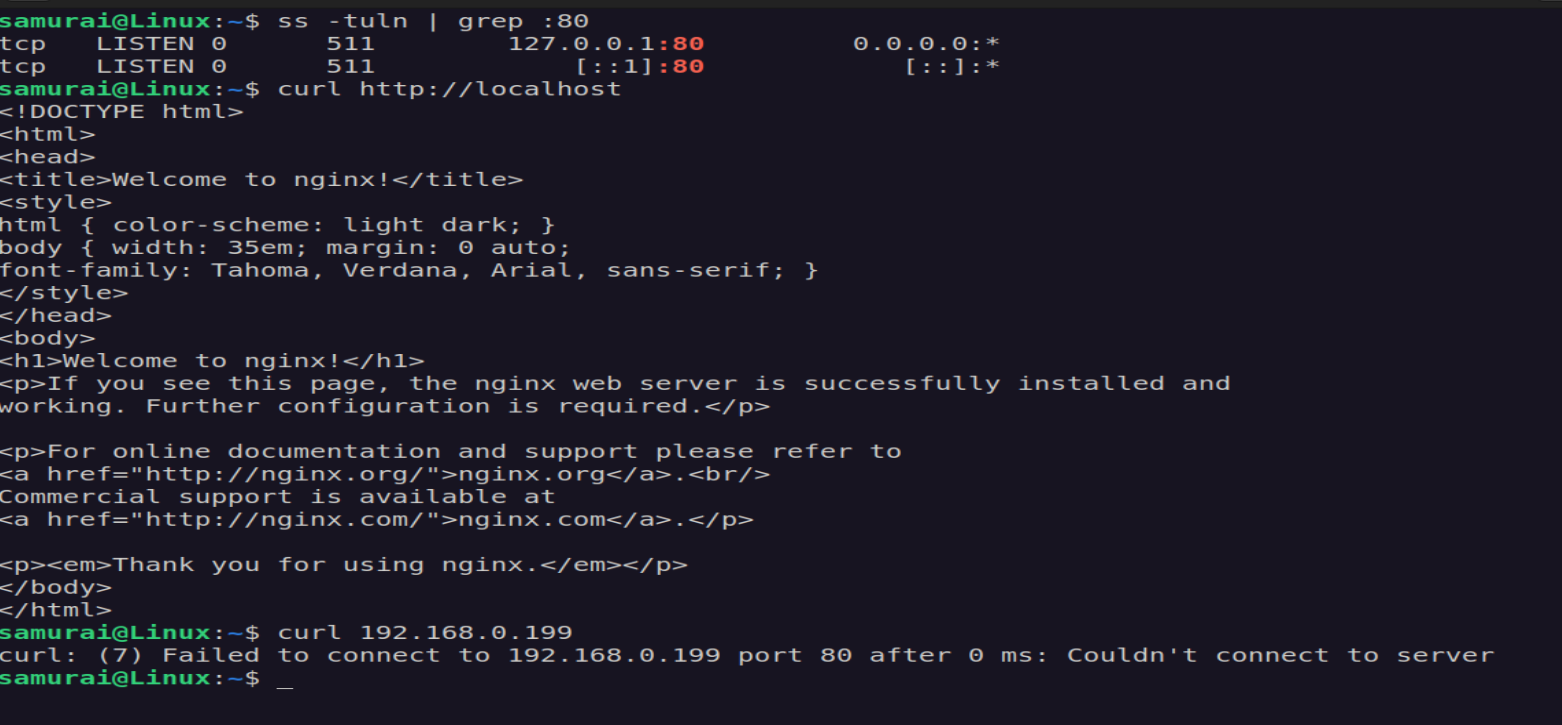
- Confirm config source:
nginx -T | grep listen
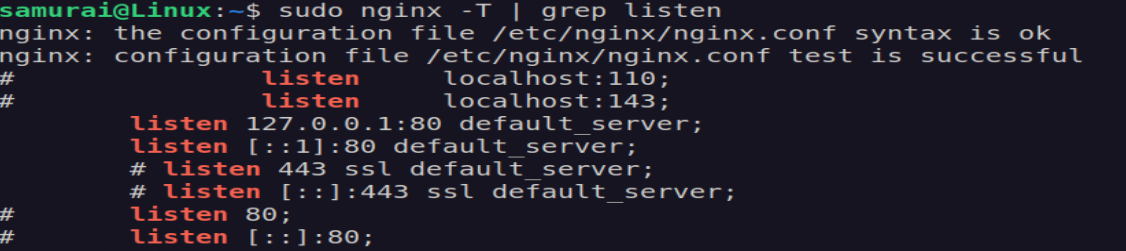
🧠 Diagnosis
Service is restricted to loopback interface -> not exposed to network
🛠 Fix
Edit config:
sudo nano /etc/nginx/sites-available/default
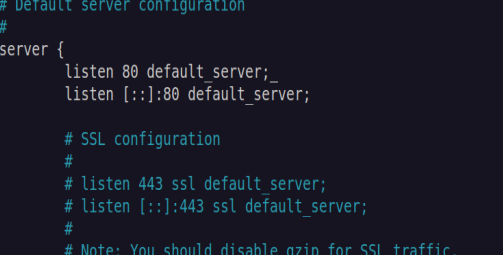
Restart:
sudo systemctl restart nginx
✅ Verification
ss -tuln | grep :80
curl http://192.168.0.199
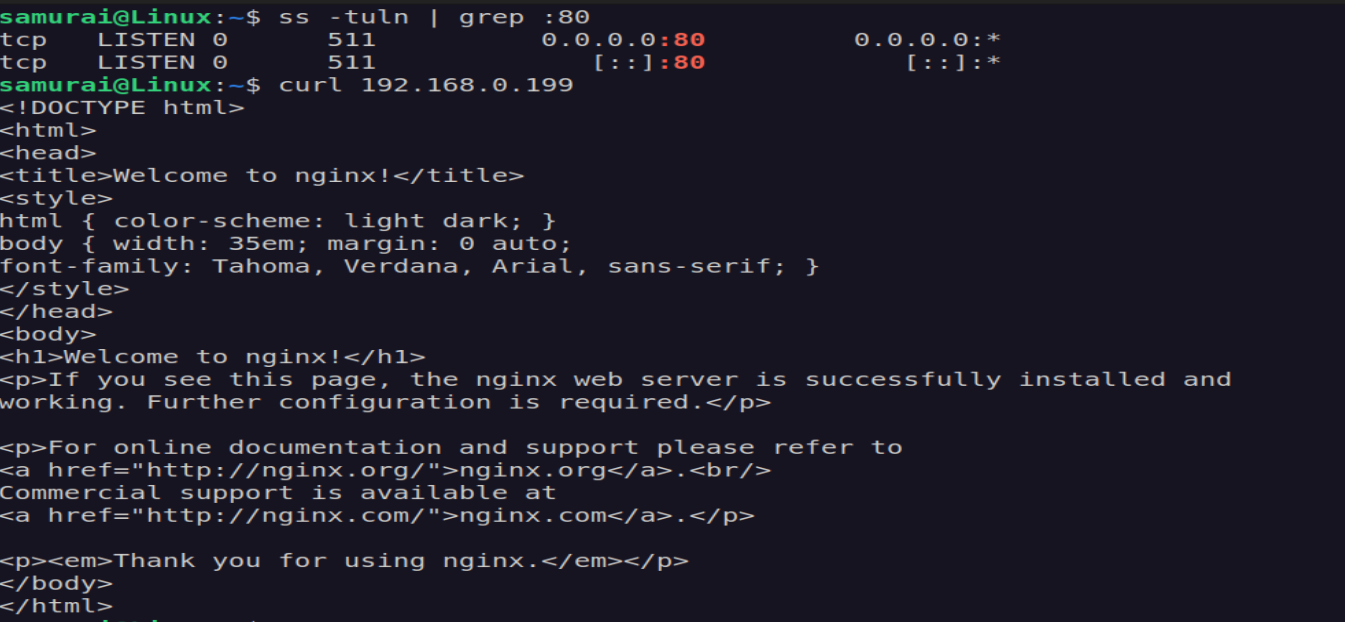
🧠 Key lesson
Binding defines WHO can connect, not whether service runs
🧪 Challenge 3 - Wrong Port
Edit config:
listen 8080;
listen [::]:8080;
Restart:
sudo systemctl restart nginx
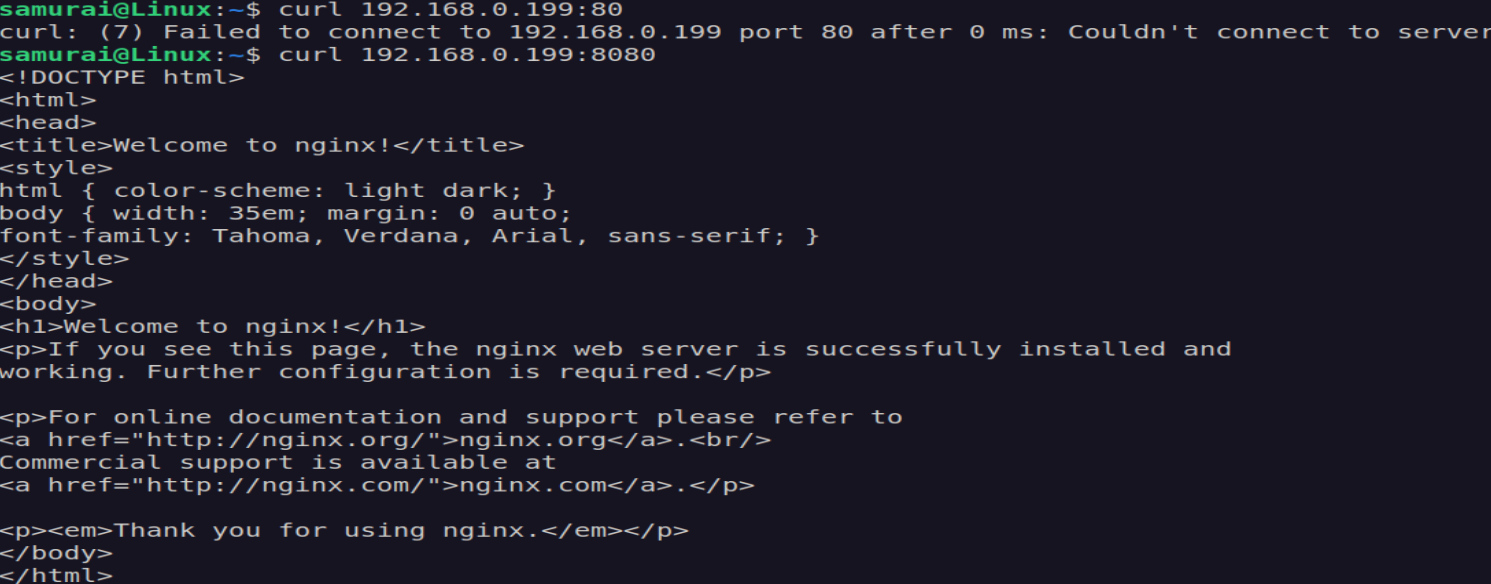
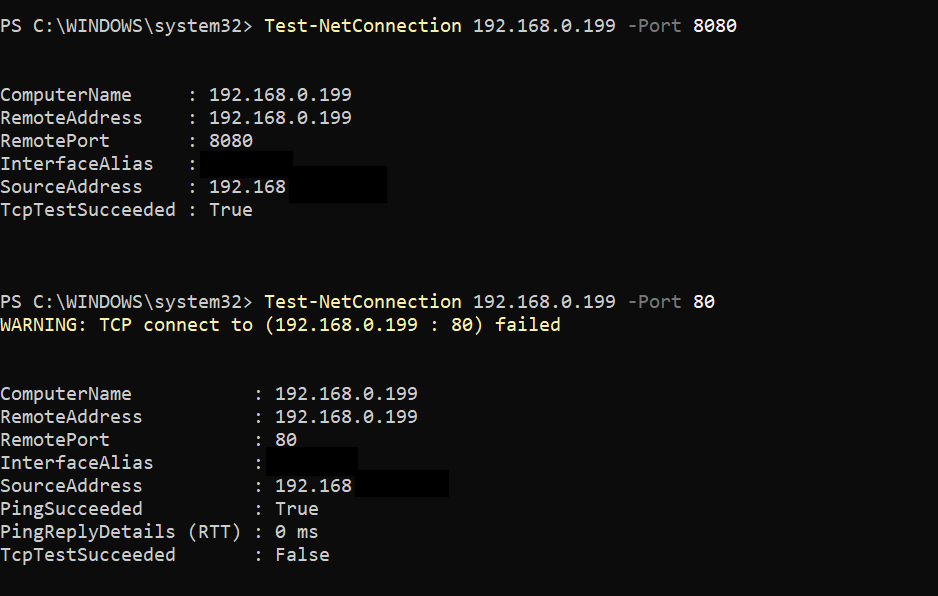
Expected outcome:
- Port 80 fails ❌
- Port 8080 works ✔
🔥 Debugging
- Check service status:
systemctl status nginx
- Check listening ports:
ss -tuln | grep LISTEN
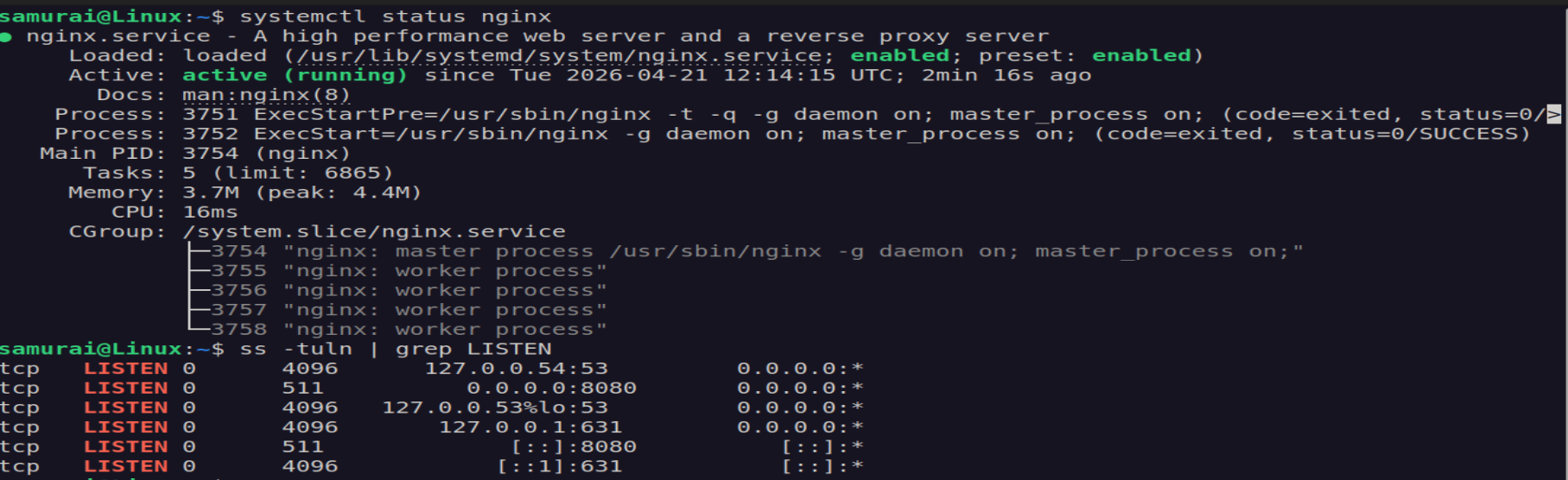
👉 Nginx is NOT listening on port 80
- Test discovered port locally:
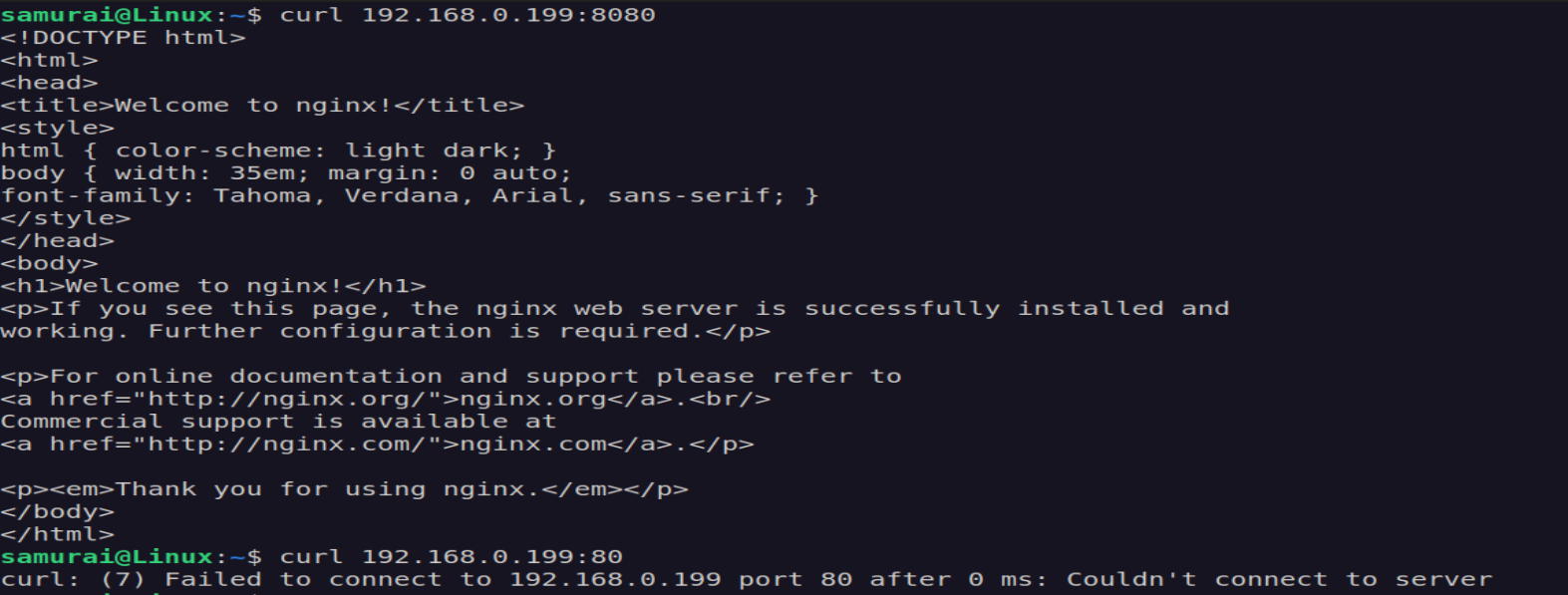
- Verify from host:
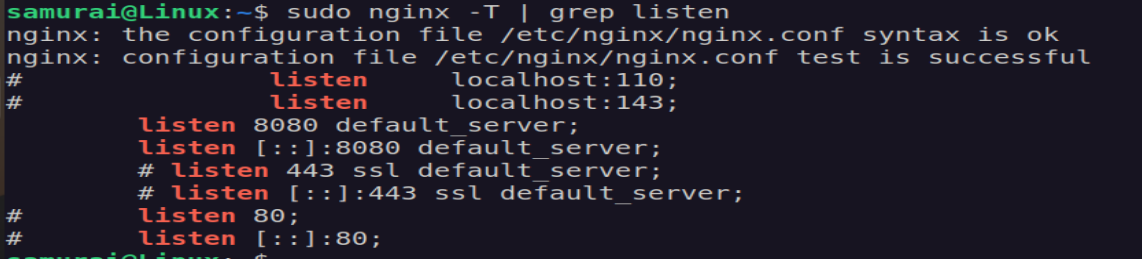
- Confirm config:
nginx -T | grep
Expected Outcome:
listen 8080;
🧠 Diagnosis
Service is running on the wrong port -> client is connecting to the wrong port
🛠 Fix
Edit config:
sudo nano /etc/nginx/sites-available/default

listen 80 default_server;
listen [::]:80 default_server;
Restart:
sudo systemtctl restart nginx
✅ Verification
ss -tuln | grep :80

Test-NetConnection 192.168.0.199 -Port 80
🧠 Key lesson
Service may be fully healthy but unreachable due to port mismatch
🔥 Debugging hierarchy
- Service (running?)
- Port (listening?)
- Binding (where?)
- Firewall (blocked?)
- Network (reachable?)