Objective
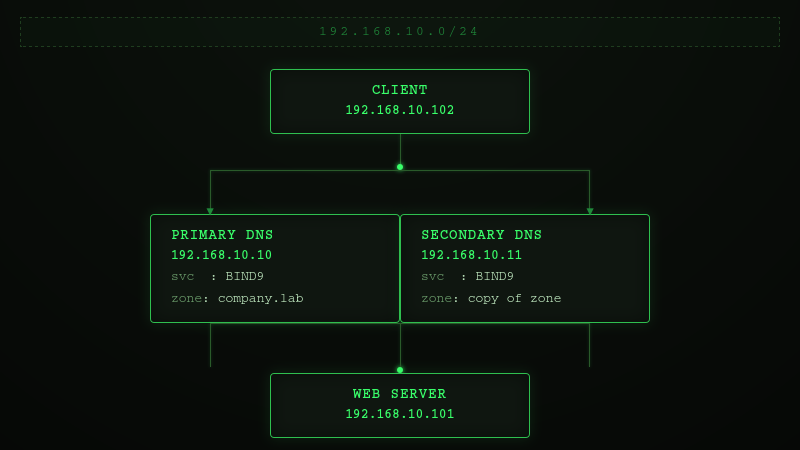
Configure a Secondary DNS server that automatically replicates DNS zones from the Primary DNS server using zone transfers (AXFR).
Environment
- Virtualization: VirtualBox
- OS: ( 1 Primary DNS Server VM + 1 Secondary DNS Server + 1 Web Server VM + 1 Client VM)
Network Topology
Prerequisites
This lab builds upon the following previous labs:
- Private DNS Infrastructure with BIND9
- Hosting Multiple Websites on One Server Using Nginx
The following components are assumed to already be configured:
- BIND9 is installed and running on the DNS server.
- The forward lookup zone company.lab has already been created.
- The forward zone file (/etc/bind/db.company.lab) contains the required DNS records.
- The client is configured to use the internal DNS server (192.168.10.10).
- DNS resolution between all virtual machines has been verified.
- The web server hosts multiple virtual websites using Nginx.
This lab extends the existing DNS infrastructure by adding a reverse lookup zone.
Phase 1 - Prepare the Second DNS Server
Step 1 - Install BIND9
sudo apt update
sudo apt install bind9 bind9-utils dnsutils
sudo systemctl status bind9

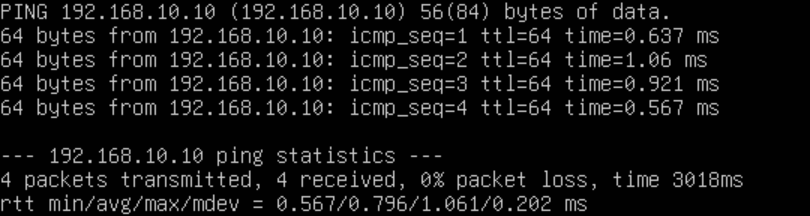
Step 2 - Verify connectivity
ping 192.168.10.10
Step 3 - Check the Port 53 is Listening
ss -tulnp | grep :53

Phase 2 - Configure the Primary DNS Server
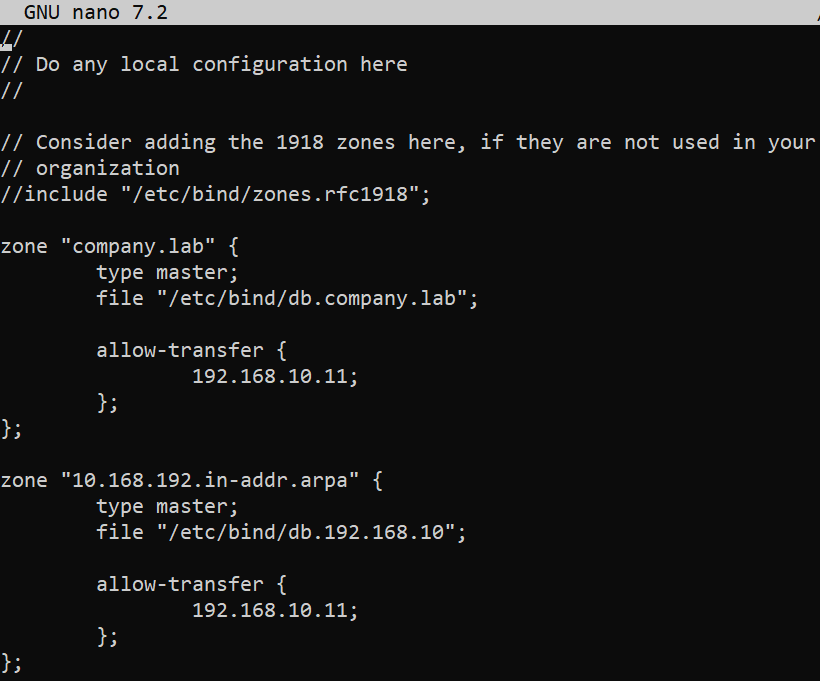
Step 1 - Modify the zone file on primary dns server
sudo nano /etc/bind/named.conf.local
Step 2 - Verify the Configuration
sudo named-checkconf
sudo systemctl reload bind9
Phase 3 - Configure the Secondary DNS Server
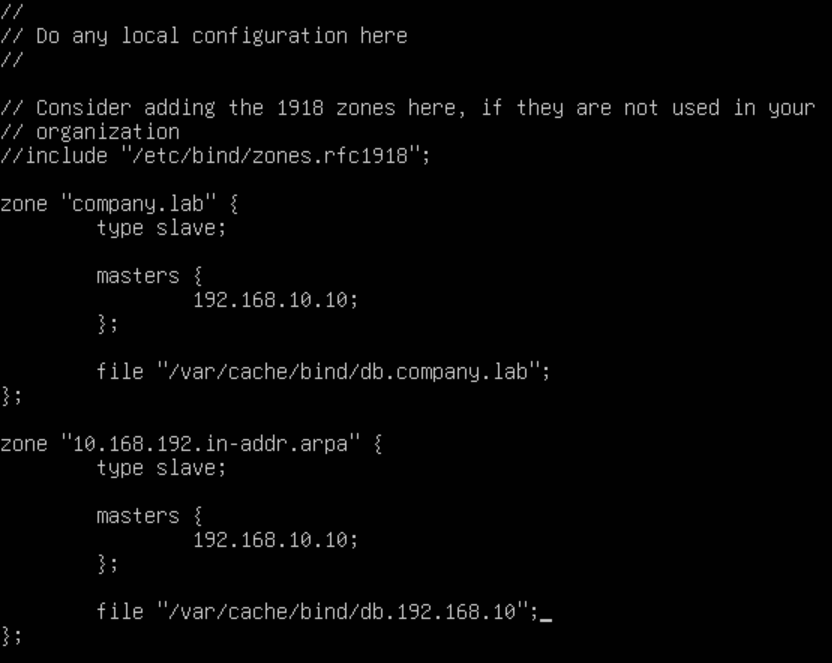
Step 1 - Modify the zone file on secondary dns server
sudo nano /etc/bind/named.conf.local
Step 2 - Verify the Configuration
sudo named-checkconf
sudo systemctl restart bind9
Step 3 - Verify the Zone Files
ls -l /var/cache/bind/
